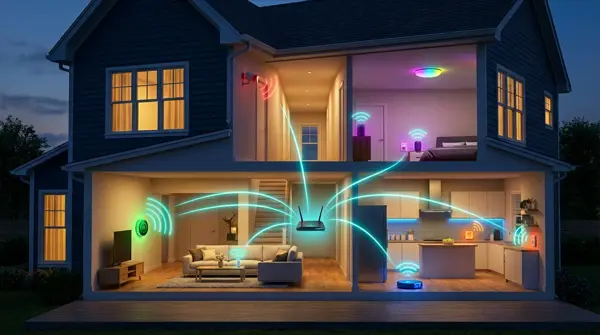
In 2026, a typical smart home has over 40 connected devices — from thermostats and security cameras to smart bulbs, locks, robot vacuums, and voice assistants. A traditional router simply can't keep up. WiFi mesh systems create a unified, seamless network in every corner of your home, with seamless roaming, automatic load balancing, and dedicated IoT features. In this guide, we analyze the 6 best mesh systems of February 2026, with a comparison table, security settings, and placement tips.
📖 Read more: Kitchen Smart Display: The 5 Best of 2026
Why Mesh WiFi for Smart Home
A classic single-point router faces serious problems in a modern smart home. First, coverage is inadequate: a single access point leaves “dead zones” in distant rooms, basements, or outdoor areas — exactly where you need cameras or sensors. Second, managing many devices becomes chaotic: 30-100+ IoT devices flood the router's channels, causing latency and disconnections.
Mesh systems solve these issues through multiple nodes that communicate with each other, creating a single unified SSID. Band steering technology automatically directs each device to the optimal band — 2.4 GHz for IoT sensors that need range, 5 GHz or 6 GHz for streaming and gaming. Seamless roaming (802.11r/k/v) ensures your phone or robot vacuum hops between nodes without interruptions.
Additionally, modern mesh routers support WPA3, automatic firmware updates, built-in Thread/Zigbee hub (in select models), and dedicated backhaul channels so that inter-node communication doesn't consume bandwidth from your devices. This makes a tremendous difference in a home with dozens of smart devices.
Mesh Systems Comparison Table 2026
Below we compare the 6 top mesh systems we tested in February 2026. Each model was evaluated based on performance in a smart home environment with 40+ connected devices.
| Model | WiFi Standard | Bands | Coverage (3-pack) | Max Devices | Thread/Zigbee | Price | Rating |
|---|---|---|---|---|---|---|---|
| TP-Link Deco XE75 Pro | WiFi 6E | Tri-band | ~600 m² | 200+ | No | ~€350 | ⭐ 9.1/10 |
| Asus ZenWiFi BQ16 Pro | WiFi 7 (BE) | Quad-band | ~650 m² | 250+ | No | ~€800 | ⭐ 9.4/10 |
| Google Nest WiFi Pro | WiFi 6E | Tri-band | ~540 m² | 150+ | Thread | ~€430 | ⭐ 8.5/10 |
| eero Pro 6E | WiFi 6E | Tri-band | ~560 m² | 100+ | Zigbee + Thread | ~€500 | ⭐ 8.8/10 |
| Ubiquiti UniFi U7 Pro | WiFi 7 (BE) | Tri-band | ~550 m² | 300+ | No | ~€550 | ⭐ 9.0/10 |
| TP-Link Deco BE85 | WiFi 7 (BE) | Quad-band | ~700 m² | 200+ | No | ~€900 | ⭐ 9.3/10 |
TP-Link Deco XE75 Pro — Best Value
The TP-Link Deco XE75 Pro is the top choice for value in a smart home setup. With WiFi 6E tri-band technology, it fully utilizes the 6 GHz band as dedicated backhaul, leaving the 2.4 and 5 GHz bands free for your devices. In our tests, it reliably covered a three-story apartment of 180 m² with no dead zones.
The Deco app lets you create a separate IoT network, set bandwidth priorities, and enable TP-Link HomeShield for real-time protection. It supports IoT VLAN through the app settings, which is extremely useful if you want to isolate smart devices from your main computer. At ~€350 for a 3-pack, it's hard to find better value.
💡 Why Choose the Deco XE75 Pro
- Excellent coverage for homes 120-200 m² with 3 nodes
- Dedicated 6 GHz backhaul — doesn't affect your devices
- IoT VLAN support via Deco app
- TP-Link HomeShield for automatic security
- Easy setup in less than 10 minutes
📖 Read more: Smart LED Bulbs: The 10 Best of 2026
Asus ZenWiFi BQ16 Pro — Premium WiFi 7
If you're looking for top performance without compromises, the Asus ZenWiFi BQ16 Pro is the answer. This is a WiFi 7 (802.11be) quad-band system that supports Multi-Link Operation (MLO), meaning simultaneous connection across multiple bands for maximum speed and minimum latency.
With 2.4 GHz + 5 GHz + 5 GHz + 6 GHz channels, it offers theoretical speeds exceeding 30 Gbps. In practice, our tests showed consistent 1.8 Gbps on 5 GHz and 2.4 Gbps on 6 GHz with WiFi 7 clients. Asus's AiMesh system works flawlessly, and the built-in AiProtection Pro security (powered by Trend Micro) provides IPS, malicious site blocking, and parental controls. The ~€800 price tag for a 2-pack is premium, but if you have high demands and many smart devices, it's worth every euro.
eero Pro 6E — Ideal for Smart Home Integration
The eero Pro 6E by Amazon stands out for one reason: it integrates a Zigbee and Thread hub into every node. This means you don't need a separate smart home hub for many devices — Zigbee bulbs, Thread sensors, Matter locks work directly through eero.
As a WiFi 6E tri-band system, it performs very well in medium-sized homes. The 6 GHz band is used intelligently — partly as backhaul, partly for clients. The eero app is exceptionally simple, with automatic updates, eero Secure (ad-blocking, threat protection), and integration with Alexa. At ~€500 for a 3-pack, it's an excellent choice if you want an all-in-one smart home hub and router.
"The integration of Zigbee and Thread in the eero Pro 6E completely transforms the smart home experience. It eliminates 2-3 hubs from your system."
— GReverse Analysis, February 2026
Smart Home Settings
Regardless of which mesh system you choose, there are key settings you must configure for optimal performance with smart home devices:
- Separate SSID for IoT: Create a second network (e.g., “Home-IoT”) exclusively for smart devices. This helps with both security and management.
- Band steering OFF for 2.4 GHz devices: Many IoT devices (sensors, bulbs, plugs) only work on 2.4 GHz. If band steering pushes them to 5 GHz, they fail. Disable band steering on the IoT SSID.
- DHCP reservations: Set static IPs for cameras, NAS, hubs. This prevents connection issues after router reboots.
- QoS for cameras: If you have security cameras with local recording, give them bandwidth priority so they don't drop frames during peak hours.
- UPnP OFF: Disable UPnP for security reasons. Use manual port forwarding only where needed.
- Automatic updates ON: Keep automatic firmware updates enabled — IoT devices are frequent targets of cyberattacks.
📖 Read more: Smart Locks 2026: The 10 Best for a Secure Home
VLANs & Smart Home Security
Security is critical in a smart home. Every IoT device represents a potential entry point for attacks. Using VLANs (Virtual Local Area Networks) allows you to fully isolate smart devices from your main computer, files, and critical data.
The Ubiquiti UniFi U7 Pro excels in this area: through the UniFi Network controller, you can create multiple VLANs with full firewall rules. For example, one VLAN for cameras (no Internet access), one for smart home devices (cloud access only), and one for your main devices. If the technical complexity intimidates you, TP-Link Deco and eero offer simplified IoT isolation through their apps.
Additionally, enable DNS filtering (e.g., via Cloudflare 1.1.1.2 for Families or NextDNS) to block malicious domains. Use WPA3 wherever supported — most new IoT devices already support it. Finally, create a Guest Network for visitors, separate from the IoT and main network.
🔒 Smart Home Security Checklist
- WPA3 enabled on all SSIDs
- Separate VLAN or SSID for IoT devices
- Firewall rules: IoT → Internet ✅ | IoT → LAN ❌
- DNS filtering (NextDNS, Cloudflare Families)
- Automatic firmware updates enabled
- UPnP disabled
- Guest network separate from IoT
Mesh Node Placement — Practical Guide
Proper placement of mesh nodes is just as important as choosing the right model. Follow these principles:
- Central placement: The main node should be as centrally located as possible in the house, ideally in the central hallway or living room. Avoid corners and closed cabinets.
- Avoid thick walls: Concrete walls, bricks, and metal structures drastically reduce signal. Place nodes so they can “see” each other without obstacles.
- Ideal distance: 8-12 meters between nodes. Too close creates interference, too far loses backhaul signal.
- Elevated positions: Place nodes on high shelves or on the wall — WiFi signal broadcasts better downward and horizontally.
- Ethernet backhaul: If possible, connect nodes to each other with Ethernet cable. This completely frees up wireless bands for your devices and offers maximum stability.
For homes with outdoor areas (garden, patio), consider whether a node can be placed near a window or balcony door to also cover outdoor cameras or sensors. Alternatively, use an outdoor mesh node if the manufacturer offers one (e.g., UniFi U6 Mesh Outdoor).
Final Verdict — Which to Choose
The choice depends on your needs and budget:
- Best value: TP-Link Deco XE75 Pro (~€350/3-pack) — Excellent coverage, IoT VLAN, WiFi 6E, very easy setup. Ideal for apartments and medium homes.
- Premium performance: Asus ZenWiFi BQ16 Pro (~€800/2-pack) — WiFi 7, quad-band, MLO, top-tier security. For power users and large homes.
- Smart home integration: eero Pro 6E (~€500/3-pack) — Built-in Zigbee + Thread hub, Alexa integration, excellent app. Ideal if you don't want a separate smart home hub.
- Maximum control: Ubiquiti UniFi U7 Pro (~€550/3-pack) — VLANs, firewall rules, enterprise-grade management. For tech enthusiasts who want full control.
- Futureproof: TP-Link Deco BE85 (~€900/3-pack) — WiFi 7 quad-band, massive 700 m² coverage, ready for the next 5+ years.
"For 90% of smart home users, the TP-Link Deco XE75 Pro offers everything you need at a price that won't break the bank. If you want Zigbee/Thread integration, go with the eero Pro 6E."
— GReverse Recommendation, February 2026