thread protocol border router apple tv homepod smart home matter openthread iot connectivity
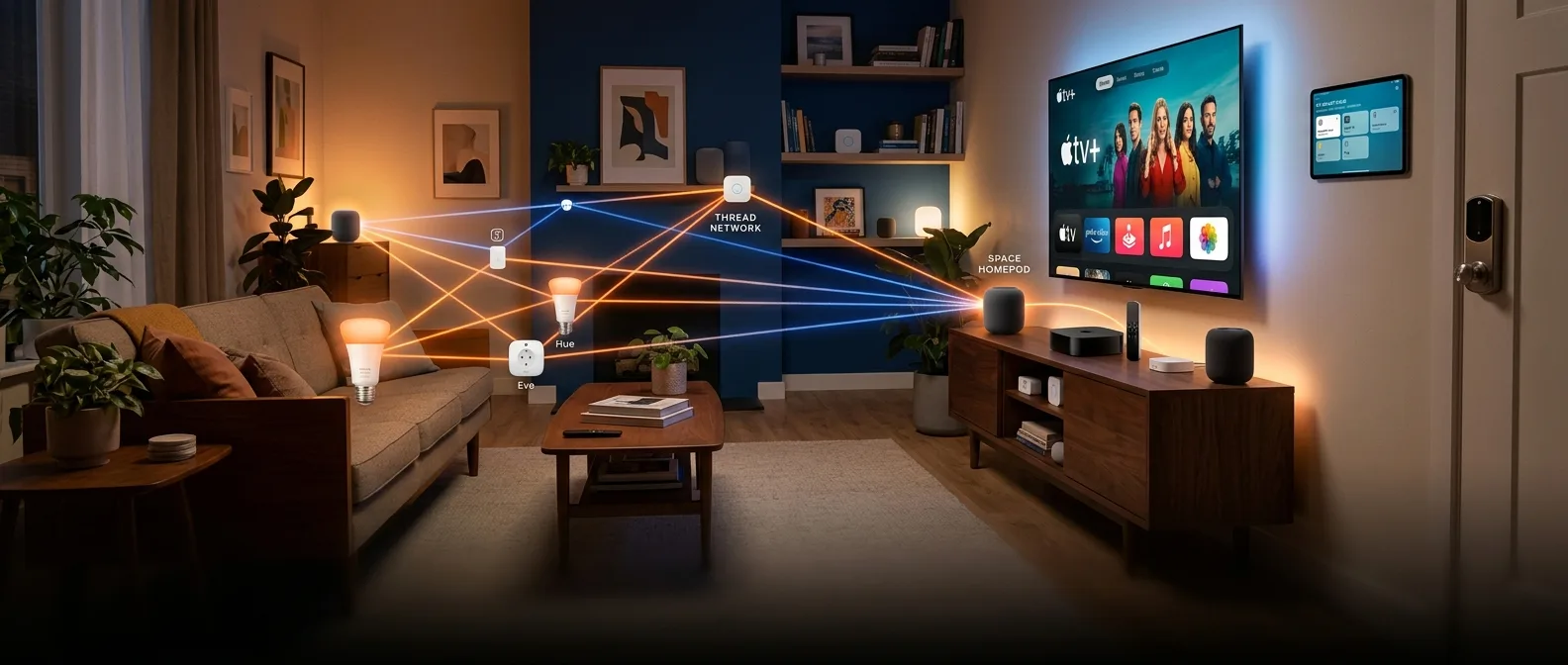
Thread protocol runs your smart home differently than WiFi. It's engineered for low-power devices that need to stay connected for months without charging, and it builds networks that get stronger as you add more devices. But here's the catch: Thread devices can't talk to your existing network without a bridge. That bridge is called a Thread Border Router.
Apple made this dead simple. Your Apple TV or HomePod probably already has everything you need to become a Thread hub. No extra hardware. No complex configuration. Just flip a switch and you're running a mesh network that makes Zigbee look ancient.
Thread Protocol: Why Your Smart Home Needs It
Thread targets three specific problems that kill smart home networks. WiFi drains batteries. Bluetooth has pathetic range. Zigbee requires proprietary hubs that cost $100 and break every two years.
Thread builds on 6LoWPAN and 802.15.4, creating a self-healing mesh where every device becomes a repeater. Add more Thread devices and your network gets stronger, not weaker. The matter thread alliance sealed the deal — now your Eve door sensor talks to your Nanoleaf bulbs talks to your Aqara motion detector, regardless of who made what.
What Thread Actually Delivers
- Battery life measured in years, not months
- Mesh topology that routes around dead devices automatically
- Self-healing network architecture
- Military-grade AES-128 encryption
- Support for hundreds of devices without performance degradation
Apple TV Thread Setup: The 5-Minute Solution
Got an Apple TV 4K (2nd or 3rd gen) sitting under your TV? You already own a Thread border router. The apple tv thread functionality kicks in automatically once you enable it — assuming you're running tvOS 15.0 or later.
Setup takes three steps. Your Apple TV needs to be on the same WiFi network as your HomeKit devices. Navigate to Settings, find "AirPlay and HomeKit," and look for the Thread option. In most cases, it's already enabled and waiting for Thread devices to join.
Apple TV Configuration Steps
- Verify you're running tvOS 15.0 or newer
- Connect Apple TV to your primary WiFi network
- Go to Settings > AirPlay and HomeKit
- Confirm Thread functionality is enabled
- Add Thread devices through the Home app
The Apple TV approach works brilliantly if you watch TV regularly. But what happens when you're traveling for two weeks and the Apple TV goes to sleep? Your Thread network doesn't care — it keeps running in the background, maintaining connections and routing traffic.
HomePod as Thread Hub: Set-and-Forget Simplicity
The homepod thread implementation might be even slicker. Both the HomePod mini and second-generation HomePod ship with Thread radios built in. No setup required. No menus to navigate. Add a Thread device to your Home app and the HomePod automatically becomes your border router.
Apple hides the technical complexity. Your HomePod sits in your living room, always powered, always connected, always ready to route Thread traffic. Unlike the Apple TV, it doesn't depend on your entertainment habits.
HomePods typically live in central locations, which is perfect for Thread mesh coverage. The radio has enough range to reach most rooms in a typical house, and Thread's mesh architecture fills in any gaps with other devices.
Beyond Apple: OpenThread and Alternative Solutions
Apple's ecosystem works great until you step outside it. Android users, Linux enthusiasts, and anyone who wants granular control over their Thread network needs different options. That's where OpenThread comes in — Google's open-source implementation that powers everything from Google Nest Hubs to DIY Raspberry Pi setups.
Dedicated Thread border routers offer features that Apple devices don't. Network monitoring. Traffic analysis. Custom routing rules. These aren't necessary for most users, but they're invaluable if you're running a complex smart home with dozens of devices across multiple floors.
Popular Alternative Options
- Google Nest Hub (2nd gen) with native Thread support
- Amazon Echo devices with integrated Thread radios
- Standalone border routers from Aqara, Eve, and other manufacturers
- DIY solutions using Raspberry Pi and OpenThread software
The Nanit Pro baby monitor deserves special mention here. It's one of the few non-Apple devices that can function as a Thread border router while serving its primary purpose. Parents get baby monitoring and Thread connectivity in one device.
Optimization and Troubleshooting Your Thread Network
Thread networks are remarkably self-sufficient, but a few best practices will save you headaches down the road. First rule: only run one active Thread border router at a time. Multiple border routers create routing conflicts that can bring your entire mesh to its knees.
Placement matters more than you'd think. Your border router should sit in a central location with minimal obstructions to Thread devices. Concrete walls and metal appliances can interfere with the 2.4GHz signal that Thread uses. If you have a large house, add more Thread-enabled devices to extend the mesh naturally.
When things go wrong, start simple. Reboot your Thread border router first. Then check for firmware updates on your Thread devices — manufacturers constantly improve performance and compatibility. The Home app will usually tell you if devices are unreachable or having connectivity issues.
Thread represents the future of smart home connectivity, and setting up a border router is your gateway to that future. Whether you choose Apple TV, HomePod, or a dedicated device, you're building a network that's more reliable, more efficient, and more scalable than anything WiFi can offer. Your smart home will thank you with faster responses, better battery life, and the ability to add devices without worrying about network congestion.