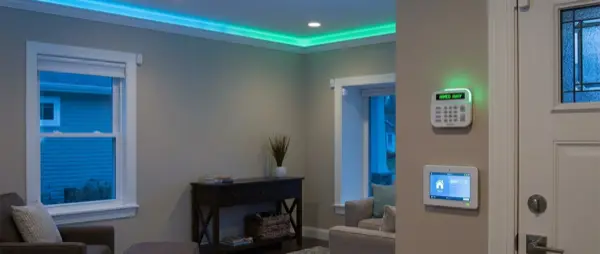
A smart home alarm is no longer a luxury — it's the most effective security investment. Unlike traditional systems, a smart alarm sends notifications to your phone, activates cameras automatically, and can be controlled remotely. We analyze the top DIY and professional systems, sensors, installation, and costs.
📖 Read more: Before You Buy Smart Home: 10 Beginner Tips
DIY vs Professional Alarm
DIY (Do It Yourself): You buy the equipment and install it yourself. No monthly subscription (or optional). Examples: Ajax, Ring Alarm, Eufy Security. Cost: €200–€600. Pros: Low cost, full control, easy to relocate. Cons: Monitoring is your responsibility.
Professional: A company installs and monitors 24/7. Examples: Verisure, Sector Alarm, ADT. Cost: €30–€60/month + equipment. Pros: 24/7 monitoring center, immediate police dispatch. Cons: Expensive subscription, 2–3 year contract, dependency.
Top Systems Comparison
| System | Type | Sensors | Subscription | Kit Price | Rating |
|---|---|---|---|---|---|
| Ajax Hub 2 Plus | DIY | Jeweller series | Optional | ~€500 | ⭐ 9.5/10 |
| Ring Alarm Pro | DIY | Z-Wave | €10/mo | ~€300 | ⭐ 8.5/10 |
| Eufy Security | DIY | Proprietary | Free | ~€250 | ⭐ 8/10 |
| Verisure | Pro | Proprietary | €45/mo | Free* | ⭐ 8/10 |
| Sector Alarm | Pro | Proprietary | €35/mo | Free* | ⭐ 7.5/10 |
Detailed Reviews
Ajax Hub 2 Plus — Best DIY Choice
Ukrainian company with exceptional quality. Jeweller protocol: wireless sensor communication up to 2km range, AES-128 encryption, tamper protection. Hub 2 Plus supports LTE + Ethernet + WiFi (triple connection — always online). Up to 200 sensors. Photo verification via MotionCam — the motion sensor takes a photo and sends it to your phone in 9 seconds. Integration with monitoring centers. Excellent app (iOS/Android). The top DIY choice in Europe.
Ring Alarm Pro — Amazon Ecosystem
Integration with Alexa: “Alexa, arm Ring alarm.” Built-in Eero WiFi 6 router in the base station. Door, motion, and flood sensors. Ring Protect Pro (€10/month) offers 24/7 professional monitoring, cellular backup, 180 days cloud video. Works basically without subscription (self-monitoring). Z-Wave protocol. Downside: cloud-dependent, Amazon privacy concerns.
Eufy Security — No Subscription
Local storage on HomeBase 3 (16GB). Zero monthly costs — ever. Door/window sensors, motion sensors, keypad. S350 camera: 4K dual lens, pan & tilt, AI face recognition. Works with HomeKit Secure Video (local processing via Apple TV). The most economical long-term option. Downside: smaller sensor ecosystem compared to Ajax or Ring.
📖 Read more: IKEA Dirigera Hub Setup Guide: Complete 2026 Review
Security Tips & Best Practices
Regardless of which system you choose, follow these essential security practices: always enable two-factor authentication on your alarm app. Use a dedicated cellular backup SIM (not just WiFi) so your alarm works during internet outages. Place the hub in a hidden location that intruders can't easily find or destroy. Test your sensors monthly — batteries typically last 3-5 years but can fail. Finally, register your system with local police so false alarm fines are avoided and real alarms are taken seriously.
Essential Alarm Sensors
Door/window sensor: Magnetic contact — detects opening. Basic sensor, you need 4–8 per home. Cost: €10–€30 each.
PIR motion sensor: Detects thermal movement. Place in hallways, living room. Pet-immune models ignore pets under 25kg. Cost: €20–€50.
MotionCam (photo verification): PIR + camera — takes a photo when motion is detected. Drastically reduces false alarms. Ajax MotionCam: €70.
Glass break sensor: Detects the characteristic frequency of breaking glass. Cost: €30–€50.
Siren: Indoor (100+ dB) and outdoor (waterproof, stroboscopic). Ajax StreetSiren: €120.
Keypad: Arm/disarm with code or RFID tag. Place at entrance. €50–€80.
📖 Read more: IoT Device Security: How to Protect Your Smart Home
Smart Alarm Automations
A smart alarm integrates into your smart home: Auto-arm when everyone leaves (geofencing). Cameras activate only in armed mode. Lights turn on when outdoor motion is detected (deterrent). Smart lock locks automatically when arming. Phone notification with photo within 10 seconds of alarm trigger. This level of integration doesn't exist in traditional systems.
Cost Analysis (3 Years)
| System | Equipment | 3-Year Subscription | Total |
|---|---|---|---|
| Ajax Hub 2 Plus Kit | €500 | €0 | €500 |
| Ring Alarm Pro | €300 | €360 | €660 |
| Eufy Security Kit | €250 | €0 | €250 |
| Verisure | €0* | €1,620 | €1,620 |
| Sector Alarm | €0* | €1,260 | €1,260 |
* Equipment remains the company's property if the contract is terminated.
DIY Installation Guide
Step 1: Place hub centrally, near router (Ethernet preferred). Step 2: Door sensors on main entrance, balcony doors, ground floor windows. Step 3: PIR sensors in hallways and living room — corner placement at 2.4m height. Step 4: Keypad at entrance. Step 5: Outdoor siren at a high point (hard to reach). Step 6: Configure app, zones, notifications, automations. Installation time: 1–2 hours.
Conclusion
For most people, a DIY smart alarm is the best choice: lower cost, no contracts, full control. Top recommendation: Ajax Hub 2 Plus — professional quality at DIY prices. For budget: Eufy Security with zero subscription ever. Professional alarms are worth it only if you need 24/7 monitoring with a central station — and even then, Ajax offers this optionally without a mandatory contract.
Start with the basic kit (hub + 2 door sensors + 1 PIR + keypad) and expand gradually. Security doesn't need a huge initial investment — it needs proper placement, reliable sensors, and automations that work without intervention. That's exactly what a modern smart alarm provides.