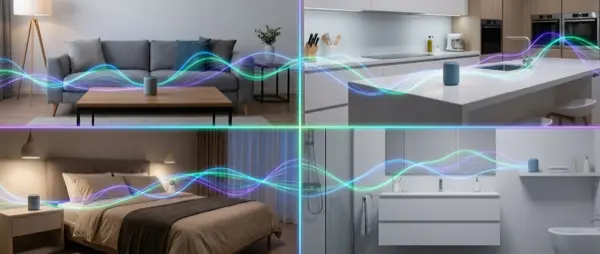
Imagine starting music in the kitchen and having it seamlessly follow you to the living room and bathroom without interruption. That's multi-room audio — a system of wireless speakers playing in sync across every room in your home. In this 2026 guide we compare the biggest ecosystems, explain the technologies, and help you set up your own whole-home audio system.
📖 Read more: Google Home 2026: Complete Setup Guide
What Is Multi-Room Audio
It's a system of wireless speakers connected via WiFi or a proprietary protocol that can play the same music simultaneously or different music in each room. The user controls everything from a smartphone, voice command, or Home Assistant automation.
The key difference from a simple Bluetooth speaker: perfect synchronization. Walking from room to room, the music doesn't cut out — you hear the same song at the same point everywhere in the house.
The Major Ecosystems in 2026
| System | Protocol | Quality | Entry Price | Voice Assistant |
|---|---|---|---|---|
| Sonos | WiFi (proprietary) | ⭐⭐⭐⭐⭐ | ~€230 | Alexa, AirPlay 2 |
| Google Nest | Chromecast/WiFi | ⭐⭐⭐ | ~€60 | Google Assistant |
| Amazon Echo | WiFi | ⭐⭐⭐ | ~€60 | Alexa |
| Apple HomePod | AirPlay 2 | ⭐⭐⭐⭐ | ~€100 (Mini) | Siri |
| IKEA Symfonisk | Sonos (WiFi) | ⭐⭐⭐⭐ | ~€100 | Alexa (via Sonos) |
| Bose | WiFi/Bluetooth | ⭐⭐⭐⭐⭐ | ~€250 | Alexa, AirPlay 2 |
Sonos: The King of Multi-Room
Sonos remains the top choice for multi-room audio. Here's why:
- Perfect sync: Under 1ms latency between speakers — impossible to hear any echo or delay
- Trueplay tuning: Sound calibration based on your room's acoustics via microphone analysis
- Massive compatibility: Spotify, Apple Music, Tidal, YouTube Music, Deezer, SoundCloud, TuneIn and dozens more
- Longevity: Speakers receive software updates for 5+ years
Popular models: Sonos Era 100 (€260) for rooms, Sonos Era 300 (€460) for Dolby Atmos spatial audio, Sonos Beam (€500) for TV + multi-room integration.
Google Nest: The Budget-Friendly Option
If you want multi-room audio on a small budget, Google Nest Mini speakers (€60 each) create a basic but functional system. Sound quality doesn't match Sonos, but for background music it works perfectly well.
- Speaker groups: Create groups (e.g., “Living Room + Kitchen”) in the Google Home app
- Voice control: “Hey Google, play music everywhere”
- Chromecast Audio: Turns any audio system with AUX input into a smart speaker
- Nest Hub Max: Speaker + display + camera in one device
Apple AirPlay 2
For Apple ecosystem users, AirPlay 2 offers multi-room without extra apps. You send music to multiple HomePod Minis, Apple TVs, or Sonos speakers (which support AirPlay 2) simultaneously. Control happens from the iPhone Control Center with zero configuration.
Advantages: excellent Apple Music integration, natural Siri voice control, zero setup needed. Disadvantages: works only with Apple devices and the speaker selection is more limited compared to other ecosystems.
Which Speaker for Each Room
| Room | Recommendation | Why |
|---|---|---|
| Kitchen | Google Nest Mini / Sonos Era 100 | Compact, voice control for cooking timers |
| Living Room | Sonos Beam + 2x Era 100 | TV + surround + multi-room speaker system |
| Bedroom | HomePod Mini / IKEA Symfonisk | Quiet, alarm clock functions, soft sound |
| Bathroom | Sonos Roam 2 / JBL Flip | Waterproof (IP67), portable design |
| Office | Sonos Era 300 / Bose | Hi-Fi quality, spatial audio for focused work |
| Garden/Balcony | Sonos Move 2 | Portable, long battery life, weatherproof |
Setting Up Multi-Room Step by Step
- Choose an ecosystem: Decide on Sonos, Google, Apple, or a mix. Avoid mixing too many protocols
- WiFi first: Ensure strong WiFi coverage throughout your home — get a mesh router if needed
- Install speakers: Place speakers in desired rooms and connect them through the companion app
- Create groups: Group speakers by zone (e.g., “Upstairs”, “Downstairs”, “Everywhere”)
- Streaming services: Connect Spotify, Apple Music, or other preferred music services
- Automations: Set up scenarios — e.g., “Good Morning” plays soft music in the kitchen at 7:00 AM
Integration with Home Assistant
Home Assistant supports all major multi-room ecosystems. You can create powerful automations like:
- Automatically lower music volume when the doorbell rings
- Switch playback room based on presence sensor detection
- TTS announcements on specific speakers ("The washing machine is done")
- Goodnight scene that mutes all speakers except the bedroom
Common Mistakes to Avoid
- Weak WiFi: The #1 problem — causes buffering, disconnects, and desync. Invest in a mesh router first
- Mixing protocols: Google + Sonos + Alexa in the same house = chaos. Pick one primary ecosystem
- Bluetooth instead of WiFi: Bluetooth does NOT do proper multi-room — no sync, short range, single device pairing
- Corner placement: Speakers need room to breathe — don't hide them inside cabinets or tight corners
Conclusion
Multi-room audio transforms your home into a unified musical space. If you want top-tier quality, choose Sonos — if you want value for money with a voice assistant, Google Nest speakers are an excellent starting point. Whatever you choose, make sure your WiFi can handle it first. With proper infrastructure in place, wireless music throughout your home is one of the most enjoyable smart home experiences you can add to your daily life.