📖 Read more: Smart Kitchen: The Best Appliances 2026
Why a Smart Display in the Kitchen?
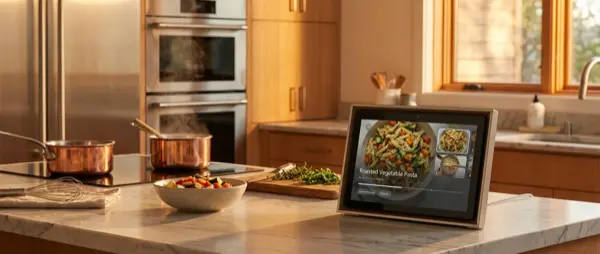
A smart display in the kitchen isn't a luxury — it's the most useful smart assistant you'll buy. It shows recipes step-by-step while you cook, works as a multi-timer, makes video calls hands-free when your hands are dirty, plays music or podcasts, controls your smart home, and shows who's at the door. All without touching anything — just your voice.
Top 5 Kitchen Smart Displays 2026
| Model | Screen | Assistant | Price | Rating |
|---|---|---|---|---|
| Echo Show 15 | 15.6″ Full HD | Alexa | ~€280 | ⭐ 9/10 |
| Google Nest Hub 2nd Gen | 7″ Touch | ~€100 | ⭐ 9/10 | |
| Echo Show 10 | 10.1″ HD | Alexa | ~€250 | ⭐ 8.5/10 |
| Google Nest Hub Max | 10″ HD | ~€230 | ⭐ 8.5/10 | |
| Echo Show 8 (3rd Gen) | 8″ HD | Alexa | ~€150 | ⭐ 8/10 |
Echo Show 15 — The Kitchen King
The Echo Show 15 is the top pick thanks to its massive 15.6″ Full HD screen that can be wall-mounted like a digital board. In the kitchen, it displays recipes in large font, calendar, shopping lists, sticky notes for the family, and widgets. Alexa controls devices, plays video, and makes video calls. With built-in Fire TV, it doubles as an entertainment center. Ideal for large kitchens and families.
Google Nest Hub 2nd Gen — Best Value
The Google Nest Hub (2nd gen) costs just ~€100 and delivers an excellent experience. The 7″ screen is compact, perfect for small countertops. Google excels at recipes — say “Hey Google, find a recipe for lasagna” and it shows video steps. Gesture control lets you pause/resume with a hand wave without touching anything, perfect for messy hands. The YouTube integration makes cooking tutorials seamless.
Echo Show 10 — The Screen That Follows You
The Echo Show 10 has a unique feature: the screen rotates 360° and follows you as you move around the kitchen. This means you always see the recipe, regardless of where in the kitchen you are. The 10.1″ HD screen is large enough, and the 13MP camera makes excellent video calls. Ideal for open kitchens and active cooking.
📖 Read more: Alexa Plus 2026: What's New from Amazon
Kitchen Features
Smart displays transform the kitchen into an interactive cooking space:
Hands-Free Recipes
- Step-by-step: Step-by-step instructions on screen — “Alexa, next step” or “Google, next step”
- Video tutorials: YouTube, Allrecipes, Food Network integrated — watch the recipe like a lesson
- Unit conversion: “How many grams is 2 cups of flour?” — instant answer
- Scaling: “Make this recipe for 6 people instead of 4” — automatically calculates quantities
Timers and Alarms
- Multiple timers: “Set timer 8 minutes for pasta” + “timer 20 minutes for chicken” — see both simultaneously
- Named timers: “Set oven timer 45 minutes” — the notification says “the oven is done”
- Recurring: Alarm every morning at 7:00 with news and weather briefing
Shopping Lists
While cooking, when you notice something's run out: “Alexa, add eggs to the shopping list.” The list syncs automatically to your phone, so when you go to the supermarket, it's already there. You can share the list with family members, and Google Keep integration works excellently on Nest Hub.
Video Calls and Entertainment
Smart displays aren't just for cooking. They double as entertainment centers:
- Video calls: Zoom, Google Duo, Amazon Drop In — hands-free video calls while cooking
- Music/Podcasts: Spotify, Amazon Music, YouTube Music — “Play jazz music while I cook”
- News: Morning briefing with news, weather, traffic — perfect while having coffee
- Baby monitor: Connect to a nursery camera — watch live while you're in the kitchen
- Digital photo frame: The display shows family photos as ambient mode — like a digital picture frame
Smart Home Control
A kitchen smart display becomes a central control panel for your entire home. View live security camera feeds, control lighting in every room, adjust the thermostat, see who's at the door (video doorbell), and manage automations. The visual information makes a difference — you can see which devices are active, what temperature each room is at, and energy consumption history.
📖 Read more: Alexa Routines: 10 Home Automations
Google vs Amazon: Which to Choose?
| Feature | Echo Show (Alexa) | Nest Hub (Google) |
|---|---|---|
| Recipes | Allrecipes, Food Network | YouTube, Google Recipes |
| Video | Built-in Fire TV | Native YouTube |
| Gesture Control | Limited | Yes (Soli radar) |
| Smart Home Devices | 100,000+ | 50,000+ |
| Video Calls | Amazon, Zoom | Google Duo/Meet |
| Multi-Language | Limited | Full support |
| Privacy | Mic/camera mute button | Camera-free option (Hub) |
Recommendation: If you want the best privacy option, Google Nest Hub is the top pick since it has no camera. If you want the largest possible screen and maximum functionality, the Echo Show 15 wins on features.
Placement and Safety
Proper placement of your kitchen smart display makes a big difference:
- Away from water/steam: Don't place it next to the sink or above the oven — moisture and steam damage electronics
- Eye-level: At your eye height while cooking — wall-mount or shelf above the counter works best
- Near an outlet: Smart displays don't run on batteries — they need permanent power
- Privacy: If the camera concerns you, Google Nest Hub (no camera) or use the physical shutter on Echo Show models
Conclusion
A kitchen smart display is the most useful smart home purchase for families and cooking enthusiasts. For the best value, the Google Nest Hub 2nd Gen (€100) delivers excellent features at an unbeatable price. For large kitchens and power users, the Echo Show 15 (€280) offers a premium experience. Either way, the hands-free kitchen experience is worth every euro — once you cook with a voice-guided recipe, you'll never go back to propping your dirty phone on the counter.