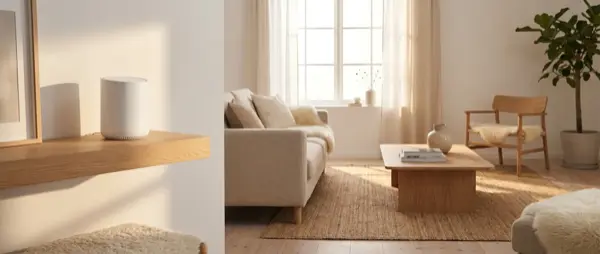
The IKEA Dirigera is the smart home hub that replaced the older TRÅDFRI. It supports Matter, Zigbee, and an all-new IKEA Home app. But is it actually worth it? In this guide we analyze the step-by-step setup, compatible devices, pros and cons, and how it compares to the competition in February 2026.
What Is the IKEA Dirigera
The Dirigera is a smart home hub that serves as the central node for all IKEA smart devices. Unlike the TRÅDFRI gateway, the Dirigera supports the Matter protocol, meaning it can work with third-party platforms like Apple HomeKit, Google Home, and Amazon Alexa without any additional accessories.
Technical specifications:
- Protocols: Zigbee 3.0, Matter over Thread (via Thread Border Router), Wi-Fi
- Connection: Ethernet + Wi-Fi 2.4GHz
- Power: USB-C
- App: IKEA Home (formerly IKEA Smart Home)
- Price in Europe: ~€35-40 (February 2026)
Step-by-Step Setup
Step 1: Physical Connection
Connect the Dirigera to power via USB-C and to your router via Ethernet (recommended) or Wi-Fi. The LED starts blinking blue when it's ready. Ethernet is strongly recommended for reliability — Wi-Fi can cause intermittent disconnections, especially in larger homes with many devices competing for bandwidth.
Step 2: Install IKEA Home App
Download the IKEA Home app (iOS/Android). Create or sign in to an IKEA account. The app will automatically detect the hub on your network. If it doesn't find it immediately, ensure your phone is on the same network as the Dirigera and try restarting both devices.
Step 3: Add Devices
Tap “Add device” in the app. For bulbs, perform a reset (on/off 6 times quickly) if they were already paired. For sensors, open the cover and press pair. The process takes 10-30 seconds per device. Tip: if a device doesn't appear, make sure it's close to the hub during pairing.
Step 4: Create Rooms
Organize devices into rooms within the app. This enables group control — e.g., “turn off everything in the bedroom.” You can set scenes for each room.
Compatible IKEA Devices
| Category | Products | Prices € |
|---|---|---|
| Lighting | TRÅDFRI, INSPELNING, ÅRSTID | €8-30 |
| Plugs | TRETAKT smart plug | €10-12 |
| Blinds/Curtains | FYRTUR, KADRILJ | €90-150 |
| Sensors | VALLHORN (motion), PARASOLL (door) | €10-15 |
| Remotes | STYRBAR, SOMRIG remote | €8-12 |
| Speakers | SYMFONISK (with Sonos) | €90-200 |
| Air purifiers | STARKVIND | €60-130 |
In total, IKEA offers over 40 smart devices — the largest catalog of affordable smart home products in Europe. A significant advantage: you can find them in physical IKEA stores and try them before buying, something no other smart home manufacturer offers.
Matter and Connectivity
Matter support is the Dirigera's biggest advantage. With Matter enabled, you can:
- Control IKEA devices via Apple Home, Google Home, or Alexa
- Use voice control (Siri, Google Assistant, Alexa)
- Integrate IKEA devices into third-party platform automations
- Use Thread Border Router functionality for lower latency
Important note: Matter activation is done through the IKEA Home app → hub settings → “Share with Matter.” The process creates a QR code that you scan in the third-party platform's app. Keep in mind that once shared via Matter, double-controlling devices from both IKEA Home and the third-party app is possible but may occasionally cause sync delays of a few seconds.
Dirigera vs Competition
| Hub | Price | Protocols | Best for |
|---|---|---|---|
| IKEA Dirigera | ~€35 | Zigbee, Matter, Thread | Budget IKEA ecosystem |
| Home Assistant (Yellow/Green) | €80-130 | Zigbee, Z-Wave, Matter etc. | Power users, multi-brand |
| Homey Pro | €400 | Zigbee, Z-Wave, Thread, IR | Premium all-in-one |
| Samsung SmartThings | €50-70 | Zigbee, Z-Wave, Matter | Samsung ecosystem |
| Amazon Echo Hub | €170 | Zigbee, Matter | Alexa-first users |
Pros and Cons
Pros
- Extremely low price (~€35)
- Matter support — connects with Apple/Google/Alexa
- Large catalog of IKEA devices at low prices
- Built-in Thread Border Router
- Improved IKEA Home app (vs old TRÅDFRI)
- Ethernet connection for stability
Cons
- Works only with IKEA Zigbee devices (you can't add third-party manufacturers via Zigbee)
- Limited automations in the app (basic scenes, timers — no conditional triggers)
- No Z-Wave protocol support
- Matter integration can be slow (1-3 second latency in some cases)
- No local API — can't be controlled without cloud, meaning if your internet goes down, you lose app access
Conclusion: Who Should Buy It
The IKEA Dirigera is the ideal solution if you want a budget smart home with reliable devices and Matter connectivity. At €35, it's the cheapest entry into the smart home ecosystem. If you already have or plan to buy IKEA lights, blinds, or sensors, it's an obvious choice.
However, if you want to control multiple brands (Philips Hue, Aqara, Shelly) or create complex automations, you'll need a more advanced hub — Home Assistant or Homey. Many users start with Dirigera and later transition to Home Assistant, transferring their IKEA Zigbee devices via Zigbee2MQTT. The good news is that IKEA devices are among the most compatible with third-party hubs, so your investment is never wasted.