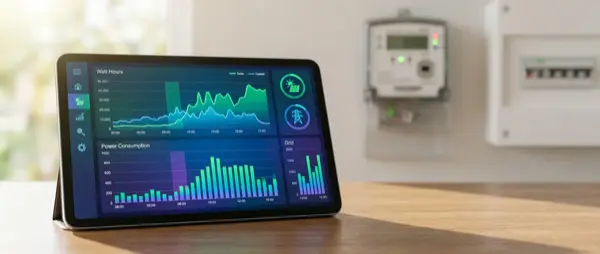
Do you know how much electricity each appliance in your home consumes? Most people don't — and that costs money. Real-time electricity consumption monitoring is the most effective way to reduce your energy bill. In this guide we explain the methods, tools, and steps for complete energy control of your home.
📖 Read more: Smart Home Power Consumption: How Much Does It Cost?
Why Monitor Electricity
Studies show that simply having consumption visibility reduces electricity use by 10-15% without any equipment changes. Why? Because you see which devices “eat” power in the background (vampire power) and change your habits. A smart energy monitor reveals:
- Which device consumes the most electricity
- How much each device costs per month
- What hours you have peak consumption
- If any device is operating abnormally (possible malfunction)
Monitoring Methods
| Method | What It Measures | Cost | Difficulty |
|---|---|---|---|
| Smart Plug with metering | One outlet/device | €10-25 | ⭐ Very easy |
| Shelly EM/3EM | Whole home | €40-90 | ⭐⭐ Medium (electrician) |
| Smart Meter (utility) | Whole home | Free (installed) | ⭐ Easy (if available) |
| CT Clamp sensors | Per circuit | €50-150 | ⭐⭐⭐ Hard |
| Sense/Emporia Vue | Whole home + AI | €100-300 | ⭐⭐ Medium |
Smart Plugs with Metering
The easiest approach: plug a smart plug with energy monitoring into every appliance you want to measure. Top choices:
- Shelly Plug S: ~€18, WiFi, Watt/kWh measurement, local control, MQTT. The best value-for-money option available right now
- TP-Link Tapo P110: ~€15, WiFi, energy monitoring, user-friendly app. Budget-friendly solution for beginners
- Sgreverse POWR3: ~€12, WiFi, current measurement, Zigbee version available for mesh networks
- IKEA Inspelning: ~€15, Zigbee, energy monitoring, works with IKEA app or Home Assistant
Place smart plugs on: washing machine, dryer, dishwasher, electric water heater, PC/TV setup, air conditioner. These 6 appliances typically account for 70-80% of total household consumption.
Shelly EM / 3EM: Whole-Home Monitoring
For whole-home monitoring, the Shelly 3EM (~€90) is the gold standard solution. It installs in your electrical panel with CT clamp sensors, measuring consumption in real time per phase (three-phase) or per circuit.
- Shelly EM: Single-phase, 2 channels, ~€40. Ideal for single-phase supply homes
- Shelly 3EM: Three-phase, 3 channels, ~€90. For homes with three-phase power supply
- Shelly Pro 3EM: DIN rail, LAN + WiFi, ~€100. Professional-grade installation
Important: Panel installation requires a licensed electrician — never open your electrical panel yourself.
Emporia Vue: AI Energy Monitor
The Emporia Vue 2 (~€100) is a popular all-in-one solution. It installs in your panel with 16 CT clamp sensors — one per circuit — monitoring each line individually. The app uses AI to recognize consumption patterns, identifying which appliances are running even without individual monitoring. Ideal for those who want detailed analysis without dozens of smart plugs. It works over WiFi and connects to Home Assistant via integration.
📖 Read more: Cloud-Free Video Doorbells: Best of 2026
Home Assistant Energy Dashboard
Home Assistant offers a built-in Energy Dashboard that aggregates data from all your energy sensors:
- Daily/weekly/monthly consumption graphs with detailed breakdowns
- Per-device consumption tracking (device-level breakdown)
- Daily cost in € (you set the kWh price for your tariff)
- Day/month comparisons for identifying trends (trend analysis)
- Solar production + net consumption (if you have photovoltaics)
Setup: Settings → Dashboards → Energy → Add consumption sensors. After 24 hours you start seeing consumption graphs and cost breakdowns.
Automations Based on Consumption
With real-time energy data you can create smart automations that save money automatically:
- Start washing machine off-peak only: If kWh price is low (night tariff), auto-start the cycle
- High consumption alert: If instantaneous consumption exceeds 5kW → send push notification
- Washing machine done: Power drops below 5W for 3 minutes → TTS announcement through speakers
- Kill vampire loads: If TV + console in standby for over 2 hours → turn off smart plug completely
- Monthly budget alert: If monthly consumption exceeds €X budget → warning notification
How Much Will You Save
In a typical household with an electricity bill of €100-200/month:
- Identifying vampire loads: €10-30/month savings
- Optimizing heating/cooling schedule: €20-50/month
- Off-peak usage (night tariff): €15-40/month
- Total estimate: €50-120/month = €600-1440/year
The investment in energy monitoring (€50-200 one-time) pays for itself in 1-3 months. A typical standby PC setup (PC + monitor + router + NAS) consumes 30-80W continuously, costing €15-45/month — money wasted for no reason if you can't see it happening.
Installation Steps
The correct installation order for energy monitoring is:
- Step 1: Start with 2-3 smart plugs on the biggest appliances (water heater, washing machine, AC)
- Step 2: Monitor for 2 weeks and identify consumption patterns
- Step 3: Install Shelly 3EM in the panel for a whole-home view
- Step 4: Set up the Energy Dashboard in Home Assistant
- Step 5: Create automations and alerts for abnormal consumption
Conclusion
Electricity consumption monitoring is the first and most important smart home investment. Start with 2-3 smart plugs (~€50) on your biggest appliances, add a Shelly 3EM to your electrical panel, and leverage the Home Assistant Energy Dashboard for full visibility. Consumption visibility changes habits — and habits significantly reduce your electricity bill over time.