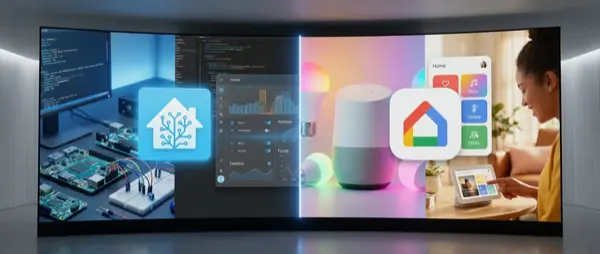
Two Smart Home Philosophies
The comparison between Home Assistant and Google Home isn't simply “which is better” — it's a comparison of two fundamentally different philosophies. Google Home is a commercial, cloud-based platform that “just works”. Home Assistant is an open-source, locally-hosted platform that gives you unlimited control but requires technical knowledge.
Which approach suits you? It depends on your priorities: ease of use vs absolute control, cloud vs local, voice vs dashboards, cost vs flexibility.
Core Comparison
| Feature | Home Assistant | Google Home |
|---|---|---|
| Type | Open-source, self-hosted | Commercial, cloud-based |
| Cost | Free (+ hardware €50-100) | Free app (+ speakers €30-100) |
| Setup | 30-60 minutes (technical) | 5 minutes (plug & play) |
| Voice Control | Via Google/Alexa integration | Native Google Assistant |
| Automations | Unlimited (YAML + UI) | Routines (limited) |
| Privacy | 100% local | Cloud-dependent |
| Compatible devices | 2,700+ integrations | 50,000+ Works with Google |
| Mobile App | Companion app (iOS/Android) | Google Home app |
| Dashboard | Fully customisable | Basic Home dashboard |
| Learning Curve | High | Low |
Google Home: For Everyone
Google Home is the ideal solution for the average user. Download the app, connect devices, and give voice commands. Done. No server needed, no code to write, no YAML files to configure.
Ideal for:
- Smart home beginners
- Families who want voice control without complexity
- Google ecosystem users (Gmail, Calendar, YouTube)
- Quick setup without technical knowledge
Limitations:
- Routines have limited conditions (e.g. you can't do “if temperature > 28 AND sunset”)
- No custom dashboard — only the basic Google Home UI
- Cloud dependency: without internet, nothing works
- Can't write custom automations or scripts
Home Assistant: For Power Users
Home Assistant runs on a Raspberry Pi, mini PC, or dedicated NUC in your home. It controls everything locally — no data leaves your network. It supports 2,700+ integrations, custom dashboards, YAML automations, Node-RED flows, and much more.
Ideal for:
- Tech enthusiasts & tinkerers
- Privacy-focused users
- Complex automations (multi-condition, templating)
- Custom dashboards with Lovelace UI
- Integrating devices that DON'T support Google/Alexa
Limitations:
- Requires technical knowledge (basic Linux, networking)
- Initial setup takes time (1-3 hours)
- Needs hardware (Raspberry Pi €50, or Home Assistant Green €100)
- Some integrations break during updates
- Voice control only via third-party (Google, Alexa integration)
Automations: The Key Difference
Google Home Routines
Simple but effective. One trigger → list of actions. Example: “Hey Google, goodnight” → turns off lights, locks door, adjusts thermostat. Conditions are limited to time, day of week, or sunrise/sunset.
Home Assistant Automations
Complete freedom. Multi-trigger, multi-condition, multi-action. Example: If indoor temperature > 27°C AND someone is home AND it's after 14:00, then activate the AC, set to 24°C, send a phone notification. This is impossible in Google Home.
Comparison Examples
| Scenario | Google Home | Home Assistant |
|---|---|---|
| Lights at sunset | ✅ Routine | ✅ Automation |
| Lights when someone enters room | ❌ Not possible | ✅ Motion sensor trigger |
| AC if temp > 27 + someone home | ❌ Not possible | ✅ Multi-condition |
| Notification when washing machine finishes | ❌ | ✅ Power monitoring |
| Custom alarm system | ❌ | ✅ Full DIY alarm |
| Voice control lights | ✅ Native | ✅ Via Google/Alexa |
Privacy: Local vs Cloud
If privacy matters to you, the choice is clear. Home Assistant runs 100% locally — no data leaves your home. Voice commands, camera feeds, sensor data — everything stays on your hardware.
Google Home sends every voice command to the cloud, stores voice recordings (unless you delete them), and shares data with third parties. Google has improved its Activity Controls, but it remains a cloud-first platform.
Cost Comparison
| Item | Home Assistant | Google Home |
|---|---|---|
| Software | Free | Free |
| Hardware | HA Green €100 / RPi €50 | Nest Mini €60 / Hub €100 |
| Zigbee adapter | €25-40 | Not needed |
| Cloud subscription | Nabu Casa €6.50/month (optional) | Free (Nest Aware €6/month) |
| Total initial cost | €75-140 | €30-100 |
Can They Work Together?
Yes! The best solution is to use both. Home Assistant handles complex automations, dashboards, and local control. Google Assistant (via Google Home) handles voice control. The connection is made through:
- Nabu Casa Cloud: Easy HA → Google Home connection in 5 minutes (€6.50/month)
- Manual setup: Free but more complex (Google Actions Console + OAuth)
This way, you say “Hey Google, turn off the lights” and the command passes through Home Assistant — which executes locally without cloud dependency for the final action.
Who Should Choose What?
- Beginners / non-technical users: Google Home — simple, effective, voice-first.
- Developers / IT professionals: Home Assistant — full control, SSH, APIs, YAML.
- Privacy enthusiasts: Home Assistant — local-only, no cloud.
- Budget users: Google Home — a €30 Nest Mini gets you started instantly.
- Families: Google Home for daily voice commands, optionally add Home Assistant for advanced automations behind the scenes.
- Renters: Both work well — neither requires permanent installation. Home Assistant is portable on a tiny device.
Conclusion
If you want ease of use, voice control, quick setup: start with Google Home. If you want absolute control, privacy, complex automations: go with Home Assistant. If you want everything: use both together — this is the path most advanced users eventually take.
For most users, the ideal journey is: Google Home first → learn the basics → add Home Assistant later for advanced features. This gives you the best of both worlds without overwhelming yourself on day one. In February 2026, both platforms are more mature and capable than ever before.