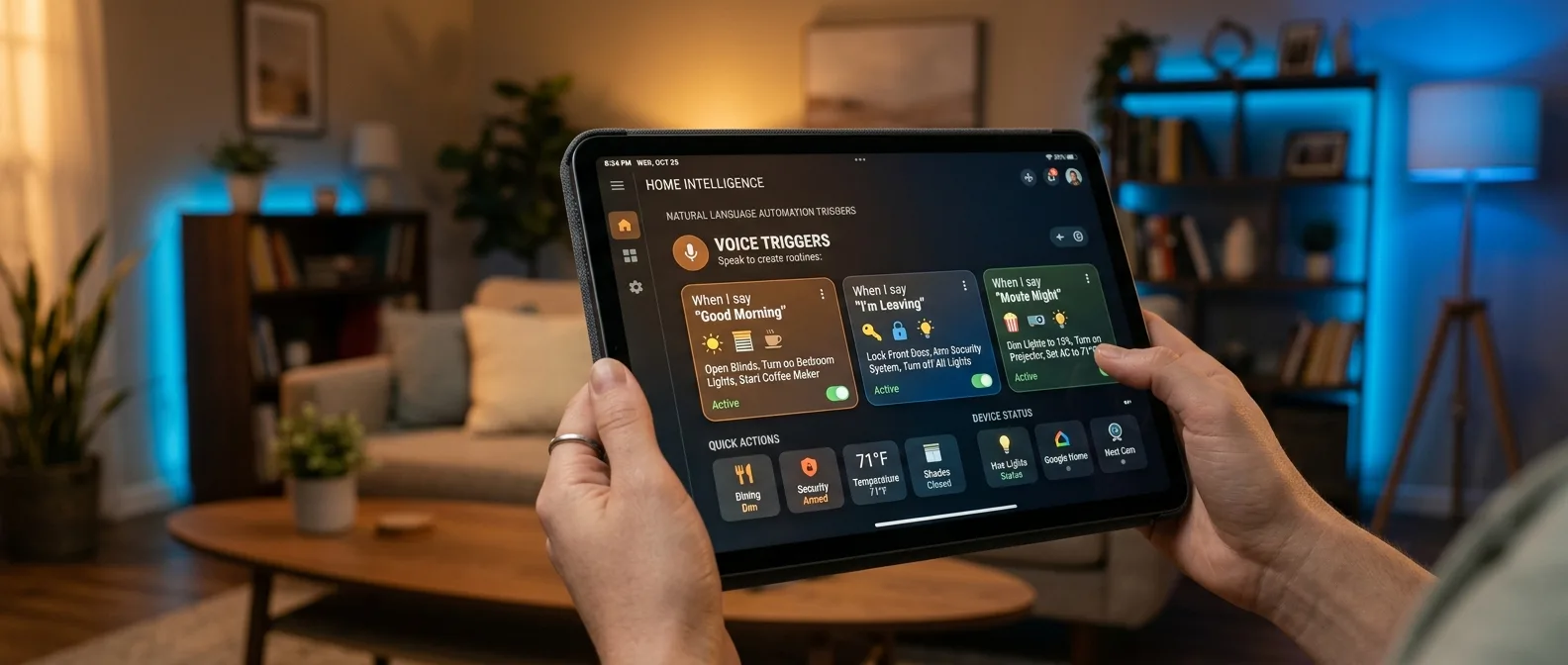
Home Assistant 2026.1 introduces fifteen new purpose-specific triggers that replace the traditional "if X, then Y" approach. Instead of thinking in technical state changes, you can now write automations with phrases like "when lights turn on" or "when I adjust the thermostat".
🔧 Home Assistant Triggers That Speak Your Language
The biggest change is in purpose-specific triggers. Until now you had to think like the computer. Want lights to turn on when the door opens? You had to define: "binary sensor door state from off to on". Now you just say: "when door opens".
New Triggers in 2026.1
- Button triggers: Fire when buttons are pressed
- Climate triggers: Thermostat changes, target temperature, HVAC mode
- Device tracker triggers: Arriving/leaving home
- Light triggers: Brightness changes and thresholds
- Lock triggers: Locking, unlocking, opening locks
The difference is massive in practice. When setting up lighting triggers, you don't need to know the object is called "light.kitchen" or that state changes from "off" to "on". You simply select "when light turns on" and the system understands.
But here's the catch. The feature remains in Labs — meaning it's experimental. This isn't about unfinished functionality, but a radical change in Home Assistant philosophy that needs time to mature.
Targets: From Single Entity to Entire Home
The ability to define targets changes automation entirely. Instead of selecting specific devices one by one, you can target entire areas, floors or even labels.
Build automation that says: "when button is pressed in living room, turn off all lights on first floor". The system understands which lights you mean without defining them individually. Add a new fixture to the floor later? It's automatically included.
📱 Dashboard: Fewer Taps, More Information
The Home dashboard received a significant overhaul, especially on mobile devices. Summary cards now appear at the top of the screen without additional taps. Lights, climate, security, media players — all there, immediately available.
A detail that makes a difference: there's now a dedicated "Devices" page showing devices not assigned to any area. The "orphaned" devices that get lost in settings now have their own place.
Desktop users weren't ignored. Summaries appear in the sidebar under the "For you" heading, maintaining the familiar experience but with better organization.
🌐 Protocols: From Hidden to Featured
One of Home Assistant's most underrated features was protocol dashboards. Zigbee, Z-Wave, Thread, Matter — all had their own pages with useful information, but who knew about them?
The new version brings them to the forefront. In settings, the protocols section appears right after basic settings. You only see protocols you've installed, but now at least you see them.
Why does this matter? Because when something breaks in your Zigbee network, you don't need to remember there's a related page somewhere. The link is there, obvious and accessible.
WebRTC: Real-Time Camera Streaming
One of the most significant additions is internal WebRTC integration. This isn't something you'll configure manually — it works behind the scenes to ensure real-time streaming from cameras with minimal latency.
If you have security cameras and the delay in live view bothered you, this change will show in daily use. It's a technical upgrade that becomes noticeable without requiring intervention.
🎛️ New Integrations: From Pet Trackers to AI Voice
Eight new integrations made their debut, with interesting highlights:
Fressnapf Tracker for pet monitoring — yes, you can now have automation that alerts when your dog leaves the yard. Fish Audio adds text-to-speech with natural sound — competition for existing solutions. HomeLink brings cars into the smart home ecosystem.
The eGauge integration targets solar panels and energy monitoring — a rapidly growing market globally with subsidy programs. Watts Vision + covers smart heating, particularly useful for European climates.
"Instead of thinking in technical state changes, you can now build automations with easily understood language"
Home Assistant Blog, January 2026
Quality Scale: The Silent Revolution
Behind the impressive features, Home Assistant continues work on the quality scale. KNX and UniFi Protect reached Platinum level — meaning extensive testing, documentation and error handling.
The quality scale means specific commitments: automated testing, configuration entries, proper error messages, repair flows. When an integration reaches Platinum, you know it will work reliably.
⚡ What This Means in Practice
The transition from event-based to intent-based automation is bigger than it appears. It changes user mindset from "how to tell the computer what to do" to "what I want to happen".
Example: You want automation that triggers when you arrive home. Previously you had to configure device tracker state changes, avoid GPS glitches, handle multiple users. Now you say: "when someone arrives home" and the system covers the details.
Natural Language
Triggers with common language instead of technical terms
Smart Targets
Target areas, floors, labels
Mobile First
Summary cards without extra taps
Protocol Visibility
Zigbee, Z-Wave dashboards in the spotlight
Of course, there's another side. The new triggers are still in Labs, meaning they might change or have bugs. If you have a complex setup that works reliably, experimenting might not be worth it yet.
🎯 Frequently Asked Questions
How do I enable purpose-specific triggers?
Go to Settings > System > Labs and enable "Purpose-specific triggers and conditions". It's an experimental feature, so backup first.
Do old automations break with the upgrade?
No, existing automations continue working normally. New triggers are an additional option, not a replacement.
Do targets work with all devices?
Targets work with all devices that have properly configured areas, floors or labels in Home Assistant. If you haven't organized your devices, now's the time.
Home Assistant 2026.1 isn't just an update — it's a preview of a bigger change. When smart homes start understanding intents instead of events, the difference in daily experience will be dramatic. The question isn't whether it will happen, but how quickly other platforms will follow.