What Are Alexa Routines
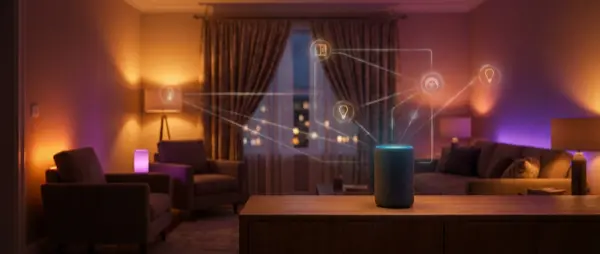
An Alexa Routine is an automation that executes multiple actions simultaneously. Each routine has:
- Trigger: Voice command, scheduled time, sensor, location, alarm dismiss
- Actions: Lights, music, announcements, temperature, custom skills
- Conditions: Day of week, active hours (Alexa Plus only)
You create routines through the Amazon Alexa app (iOS/Android) → Settings → Routines → + New Routine.
Routine 1: Good Morning
Setup
Trigger: “Alexa, good morning” or alarm dismiss
Actions: Gradual light ramp-up (30% → 100% over 5 minutes), weather forecast, daily briefing (news), relaxing music, coffee maker ON (via smart plug).
Tip: Use “wait” actions between steps — e.g., lights at 30%, wait 3 minutes, lights at 70%.
Routine 2: Good Night
Setup
Trigger: “Alexa, good night”
Actions: Turn off ALL lights (All Devices → Lights Off), TV off, heating to 19°C, lock front door (smart lock), arm alarm system, bathroom night light ON (5% brightness), Do Not Disturb mode.
Tip: Add nature sounds (rain) for 30 minutes as a sleep aid.
Routine 3: Leaving Home
Setup
Trigger: “Alexa, I'm leaving” or location-based (leaving home geofence)
Actions: Turn off everything (lights, TV, music), shut down heating/AC, lock door, activate security cameras, start robot vacuum.
Tip: Add voice confirmation: “Leaving mode activated. Everything is shutting down.”
Routine 4: Welcome Home
Setup
Trigger: “Alexa, I'm home” or door sensor opens
Actions: Entry lights ON, heating/AC to 22°C, favorite playlist, announcement “Welcome home!”, unlock door.
Tip: Use conditional actions — if after 6pm, warm lights. Before 6pm, cool white.
Routine 5: Movie Night
Setup
Trigger: “Alexa, movie time”
Actions: Dim living room lights to 10%, bias lighting behind TV (warm amber), close blinds/curtains, launch Fire TV, volume to 40%.
Tip: Create a matching “Alexa, pause movie” routine that raises lights to 50%.
Routine 6: Cooking Mode
Setup
Trigger: “Alexa, cooking mode”
Actions: Kitchen lights full brightness, range hood ON (via smart plug), 30-minute timer, cooking playlist, Echo Show displays recipes.
Tip: Add an “Alexa, done cooking” routine that turns everything off.
Routine 7: Work From Home
Setup
Trigger: “Alexa, work mode” or scheduled at 9:00 AM (Mon-Fri)
Actions: Desk light cool white 100%, Do Not Disturb ON, announcement “Focus mode active”, ambient sound (lo-fi beats), temperature to 21°C.
Tip: Create a matching “Alexa, break time” routine: warm lights, DND off, 15-minute timer.
Routine 8: Kids Bedtime
Setup
Trigger: Scheduled at 8:30 PM
Actions: Dim kids room lights to 20% (warm), bedtime story (Alexa skill), purple night light, announcement “Time for bed!”, 30 minutes later → everything off.
Tip: Use Echo Dot Kids Edition for age-appropriate content.
Routine 9: Security Alert
Setup
Trigger: Motion sensor or door sensor (after 11:00 PM)
Actions: All lights to 100%, announcement on ALL Echo devices: “Alert! Motion detected!”, push notification to phone, camera recording starts.
Tip: Create an “Alexa, false alarm” routine as a kill-switch.
Routine 10: Energy Saver
Setup
Trigger: Scheduled or “Alexa, energy saver”
Actions: Turn off lights in unused rooms, heating -2°C, standby killer (smart plugs off), announcement “Energy saver mode active”.
Tip: Schedule automatically during peak electricity hours (6-10 PM).
Pro Tips for Routines
- Wait Actions: Use delays between actions — e.g., lights ON, wait 5 min, music ON
- Custom Responses: Add “Alexa says” actions with personalized messages
- Groups: Create device groups (e.g., “Living Room”) for batch control
- Alexa Plus: If you have Alexa Plus, create routines using natural language
- Guard Mode: Use Alexa Guard as a trigger — it detects glass breaking, smoke alarms
- IFTTT: Connect Alexa with IFTTT for even more complex automations
Final Recommendation
Start with the 3 essential routines: Good Morning, Good Night, and Leaving Home. These alone fundamentally change the smart home experience. Then gradually add the rest based on your needs and lifestyle.
Alexa Routines are 100% free and work with any Echo device. You don't need Alexa Plus — but if you have it, creating routines becomes even easier through natural language. Remember: the goal of smart home isn't technology for technology's sake, but simplifying your daily life with automations that work in the background without requiring any thought.
The beauty of routines is that they're completely customizable. Start simple with a “good night” routine that turns everything off, then build from there. Within a week, you'll wonder how you lived without them. Smart home automation isn't about having the most expensive devices — it's about making the devices you have work together seamlessly through well-designed routines.