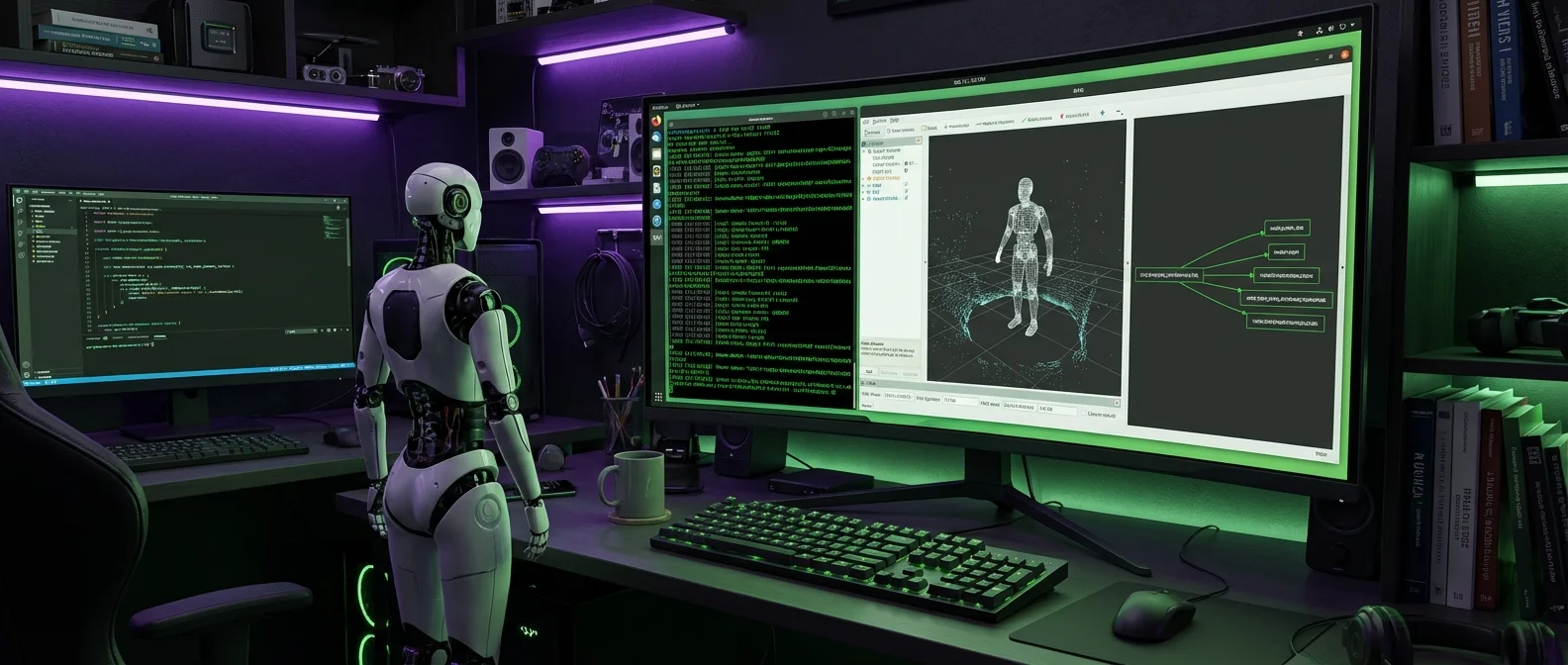
If every robot were a computer, ROS 2 would be its operating system. Except it isn't actually an operating system — not in the traditional sense. The Robot Operating System is a collection of tools, libraries, and protocols that allow robotics engineers to build sophisticated robot software without reinventing the wheel. From surgical robots and self-driving cars to delivery drones and industrial arms, ROS 2 serves as the backbone of modern robotics software.
Originally developed at Stanford and later at Willow Garage, ROS grew from a research project into a global ecosystem with thousands of software packages, tens of thousands of users, and backing from companies like Amazon, Microsoft, NVIDIA, and NASA. Here's what ROS 2 does, how it works, why it replaced ROS 1, and why robotics engineers consider it essential.
What Exactly Is ROS 2?
ROS 2 is a robotics middleware — an intermediary software layer that sits between hardware (sensors, motors, cameras) and high-level applications (navigation, object recognition, manipulation). Think of it as a common “language” that all parts of a robot use to communicate with each other.
In practical terms, ROS 2 provides:
- Hardware Abstraction: Write your code once and run it on different robots without modifications.
- Inter-process Communication: Different software components exchange data through topics, services, and actions.
- Package Management: Thousands of ready-made packages for SLAM, navigation, computer vision, and kinematics.
- Development Tools: Visualization (rviz2), simulation (Gazebo), logging (rosbag2), launch systems.
- Real-time Support: Unlike ROS 1, ROS 2 was designed from the ground up with real-time communication capabilities through DDS.
ROS 2 is open-source under the Apache 2.0 license, written primarily in C++ and Python, and officially runs on Ubuntu Linux, with experimental support for Windows 10 and macOS.
The History: From Stanford to the World
The story of ROS begins before 2007 at Stanford University, where two PhD students — Eric Berger and Keenan Wyrobek — realized that every robotics researcher was reinventing the wheel. A brilliant programmer didn't know hardware. A path planning specialist didn't know computer vision. They needed a common foundation.
- 2007 The first line of ROS code is committed to SourceForge. Willow Garage takes over development, aiming to create a “Linux for robotics.”
- 2010 The first official ROS distribution, Box Turtle, is released. The first drone and the first autonomous car running ROS appear.
- 2011 TurtleBot launches — soon to become the most popular educational robot kit. ROS Answers goes live. Repositories surpass 100.
- 2012 The Open Source Robotics Foundation (OSRF) is established. First ROSCon. Baxter becomes the first commercial robot running ROS. DARPA funds the OSRF.
- 2014 ROS 2 is announced at ROSCon. NASA's Robonaut 2 becomes the first robot running ROS in space — aboard the ISS.
- 2017 First official ROS 2 distribution: Ardent Apalone. OSRF is renamed to Open Robotics.
- 2018 Microsoft ports ROS to Windows. Amazon launches AWS RoboMaker.
- 2022 ROS 2 Humble Hawksbill arrives — the first truly “mature” LTS distribution with 5 years of support. Meanwhile, the last ROS 1 release (Noetic) reaches end of life.
- 2024–2025 ROS 2 Jazzy Jalisco (May 2024) with 5-year support. ROS 2 Kilted Kaiju (May 2025). The ROS 2 ecosystem now includes thousands of packages and hundreds of compatible robots.
Why Was ROS 2 Needed?
The original ROS (now known as ROS 1) was designed in the late 2000s as a research tool — single robot, single network, no need for real-time guarantees. As robotics moved from labs to industry, critical gaps emerged:
- Single Point of Failure: ROS 1 relied on a “ROS Master” — if it crashed, the entire system went down. ROS 2 eliminates the Master with decentralized node discovery via DDS.
- No Real-time: For surgical robots, autonomous vehicles, and industrial arms, guaranteed low latency is a safety issue. ROS 2 supports real-time scheduling.
- Limited Platform Support: ROS 1 was Linux-only. ROS 2 also supports Windows and macOS.
- Multi-robot Systems: ROS 2 was designed from the start for fleets of robots working together on shared networks.
- Security: ROS 2 integrates encryption and authentication through DDS Security — absolutely essential for commercial deployments.
Architecture: How the Parts of a Robot Talk
ROS 2's architecture is based on the computation graph model. Every running program is a node, and nodes communicate through four mechanisms:
Topics
Topics work like radio channels: one node “broadcasts” (publishes) data to a topic and one or more nodes “listen” (subscribe). For example, a depth camera publishes images to /camera/depth, while the obstacle detection algorithm and the SLAM algorithm both subscribe to that channel. Communication is anonymous — no node knows who else is listening.
Services
When you need an action with a single result (e.g., “take one photo” or “compute a path”), you use Services. One node sends a request and receives a response. This is synchronous communication, ideal for operations that start and finish promptly.
Actions
Actions are the solution for long-running tasks. If you want the robot to navigate to point A, a simple service call won't do — you need feedback during execution (completion percentage, remaining distance) and the ability to cancel. Actions combine goal, feedback, and result into a unified protocol.
Parameters
Every node can have parameters — settings that change dynamically without restart. For instance, a robot's maximum speed or a camera's resolution can be adjusted on the fly.
DDS: The Secret Power Behind ROS 2
The biggest technical change in ROS 2 is replacing the old TCP-based protocol with the Data Distribution Service (DDS). DDS is an industrial standard from the Object Management Group (OMG), originally designed for aviation, defense systems, and telecommunications.
Why was DDS chosen?
- Decentralized Discovery: Nodes find each other automatically with no central master.
- Quality of Service (QoS): You can define delivery guarantees — reliable or best-effort — per topic.
- Real-time Capabilities: Guaranteed bounded latency for safety-critical applications.
- Built-in Security: Encryption, authentication, and authorization at the protocol level.
- Scalability: Works for everything from a single small robot to fleets of hundreds of machines across a WAN.
In practice, ROS 2 users rarely need to interact with DDS directly. ROS 2 provides an abstraction layer (rmw — ROS Middleware Interface) that lets you switch between different DDS implementations (eCyclone DDS, Fast DDS, Connext DDS) without changing your code.
Essential ROS 2 Tools
rviz2 — Visualization
rviz2 is a 3D visualization tool that shows in real time what the robot “sees” and "thinks": LiDAR point clouds, camera images, SLAM maps, planned motion paths, URDF models. It's indispensable for debugging.
Nav2 — Autonomous Navigation
Navigation 2 (Nav2) is arguably the most important ROS 2 package. It provides complete autonomous navigation: map creation (via slam_toolbox or cartographer), localization (AMCL), path planning, obstacle avoidance, and error recovery. This is what runs behind every robot vacuum, delivery robot, or autonomous forklift.
MoveIt 2 — Kinematics and Manipulation
If Nav2 is for robots that move through space, MoveIt 2 is for robots that handle objects. Arm motion planning, self-collision avoidance, pick-and-place, inverse kinematics — all of it relies on MoveIt 2 and the OMPL library.
Gazebo — Simulation
Gazebo (now rebranded as Gz) is the most popular robot simulator. It works closely with ROS 2, letting engineers test algorithms in virtual environments before deploying to real hardware. It supports physics simulation, sensors, terrain, and multi-robot scenarios.
rosbag2 — Data Recording
rosbag2 records all messages into a “bag” file and can replay them later. This means you can run a robot in the field, collect data, then develop and test algorithms offline at your desk — an incredibly useful development tool.
💡 ROS Ecosystem by the Numbers
- Users: Over 10 million package installs per month
- Packages: Thousands available in each distribution
- Languages: C++, Python (primary), plus Java, JavaScript, Rust (community)
- Robots: Hundreds of commercial robots support ROS — from TurtleBot to PR2, ABB, Fanuc, Universal Robots
- Lineage: Stanford → Willow Garage → Open Source Robotics Foundation → Open Robotics
- Backing: Support from Amazon (AWS RoboMaker), Microsoft, NVIDIA (Isaac ROS), Google, DARPA, NASA
ROS 2 Distributions
Like Ubuntu releasing a new version every year, ROS 2 follows the same cadence. A new distribution ships every May, with alternating support cycles — 5 years (LTS) for even years, 1.5 years for odd years:
- Humble Hawksbill (May 2022): The first truly “production-ready” LTS. Supported until May 2027.
- Iron Irwini (May 2023): Improvements to type adaptation and logging. End of life November 2024.
- Jazzy Jalisco (May 2024): The current LTS. Supported until May 2029. Improved DDS performance, new introspection tools.
- Kilted Kaiju (May 2025): The latest release. 1.5-year support window.
- Rolling Ridley: The “rolling release” — always the latest version, ideal for developers who want cutting-edge features but don't need stability guarantees.
The last ROS 1 distribution (Noetic Ninjemys, May 2020) reached end of life in May 2025. This means ROS 2 is now the only actively supported version, marking the definitive transition for the entire ecosystem.
Real-World Applications
Industry (ROS-Industrial)
ROS-Industrial extends ROS capabilities to manufacturing automation. It supports arms from ABB, Fanuc, KUKA, Universal Robots, and Yaskawa. Three Consortia — in the US (Southwest Research Institute), Europe (Fraunhofer IPA), and Asia-Pacific (NTU Singapore) — coordinate development, training programs, and industrial projects.
Space (Space ROS)
In November 2020, NASA announced a collaboration with Blue Origin to develop Space ROS — a version of ROS 2 compliant with aerospace safety standards (DO-178C). As early as 2014, Robonaut 2 was already running ROS on the International Space Station. PickNik Robotics and the OSRF now lead the Space ROS project.
Autonomous Vehicles
Autoware — the leading open-source autonomous driving platform — is built on ROS 2. Dozens of companies use it in real-world pilot deployments. Perception (LiDAR, camera), path planning, motion control — all run as ROS 2 nodes.
Healthcare and Surgery
Surgical robots like the Raven II use ROS. The real-time support in ROS 2 makes it suitable for medical applications where reliability and low latency are literally a matter of life and death.
Education
The TurtleBot (across all its versions) remains the gateway to robotics for thousands of students worldwide. Universities around the globe — from MIT to ETH Zurich — use ROS 2 in their robotics courses.
micro-ROS: Robotics on Microcontrollers
micro-ROS brings ROS 2 to microcontrollers (STM32, ESP32, Arduino Portenta) — devices with just a few KB of memory. Through DDS-XRCE (eXtremely Resource Constrained Environments), a microcontroller can publish to topics and wirelessly connect to the rest of the ROS 2 system. This opens robotics to swarms of tiny robots, IoT sensors, and wearables.
NVIDIA Isaac ROS: The Power of AI
NVIDIA has fully embraced ROS 2 through Isaac ROS — a suite of GPU-accelerated packages running exclusively on ROS 2. Isaac ROS packages offer real-time visual SLAM, 3D spatial perception, object recognition, and path planning — all accelerated via CUDA and Tensor Cores.
Combined with Jetson modules (Orin, Thor), NVIDIA offers a complete stack: hardware (Jetson) → simulation (Isaac Sim/Omniverse) → AI packages (Isaac ROS) → deployment, always with ROS 2 at the core. This makes Jetson-based robots the most capable in real-time AI perception.
How to Get Started with ROS 2
If you want to learn ROS 2, the smoothest path looks like this:
- Install Ubuntu 24.04 LTS — natively, in a Virtual Machine, or via WSL2 on Windows.
- Follow the official tutorials at docs.ros.org — starting with the basics (Nodes, Topics, Services) on the command line.
- Learn Python or C++ — at least the fundamentals. Python is easier to start with.
- Try TurtleSim — the built-in turtle simulator, perfect for understanding topics and services.
- Move to Gazebo + TurtleBot3 — a real robot in a virtual world, featuring SLAM, navigation, obstacle avoidance.
- Build your own package — a custom node that does something simple, like face-following with a camera.
The learning curve is steep, but it's worth the effort: ROS 2 is the #1 skill sought in robotics job postings worldwide.
🌐 The Open-Source Advantage
One of ROS 2's greatest strengths is its open-source nature. Unlike proprietary robot programming environments — where you're locked into one vendor's ecosystem — ROS 2 provides vendor-neutral tools that work across hardware platforms. This means:
- Algorithms developed on a TurtleBot can run on an industrial arm with minimal changes
- Startups can build on thousands of community-tested packages instead of writing everything from scratch
- Research published with ROS 2 code can be reproduced and extended by anyone in the world
- A developer skilled in ROS 2 can work across industries — from agriculture to space exploration
The Future of ROS 2
With the ROS 1 transition complete, the focus turns to the next generation of capabilities:
- Cloud Robotics: Heavy computational tasks (large-scale SLAM, neural network training) will run in the cloud, with robots sending and receiving data via ROS 2 DDS Bridge.
- AI-native Robotics: Integrating Foundation Models (GPT-like models) into the ROS 2 pipeline — language-to-action, visual reasoning, autonomous decision-making.
- Multi-Robot Coordination: Fleets of robots in warehouses, construction sites, and farms will coordinate through ROS 2 with decentralized DDS communication.
- Digital Twins: Digital replicas of entire factories, connected in real time via ROS 2, for predictive maintenance and optimization.
- Edge AI + micro-ROS: Tiny robots with on-device AI, wirelessly connected to a shared ROS 2 ecosystem.
ROS 2 isn't just a piece of software — it's the common language of the global robotics community. Every new robot, every new algorithm, every new application is increasingly designed with ROS 2 compatibility in mind. For anyone entering robotics — whether as a hobby or a career — ROS 2 has become a prerequisite.