
You bought your first VR headset, put it on with excitement, started a game... and after 10 minutes you feel like you're going to throw up. Welcome to the world of VR sickness. Don't worry - it's normal, explainable, and most importantly treatable.
📖 Read more: VR Accessories: 20 Must-Have for 2026
VR sickness (or cybersickness, or motion sickness in VR) affects approximately 40-70% of VR users to some degree. Some feel a mild discomfort, others need to take off the headset immediately. The good news? You can almost always overcome it with the right techniques.
What Exactly Is VR Sickness?
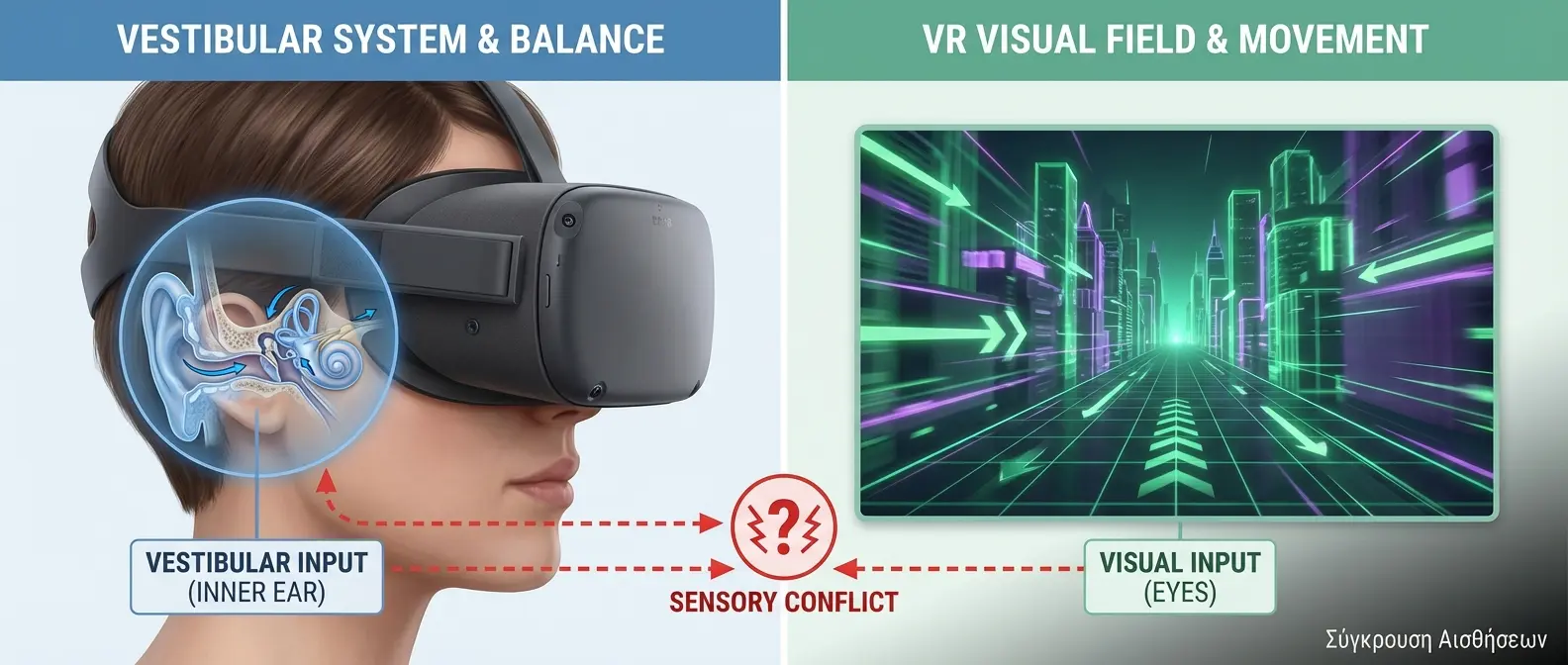
Sensory Conflict - Why the brain gets confused in VR
VR sickness is a form of motion sickness caused by a conflict between what your eyes see and what your body feels. Essentially, your brain gets confused.
Imagine this: In VR, your eyes see that you're running at speed through a corridor. But your inner ear (the vestibular system) and your muscles tell your brain that you're standing still. This contradiction creates the symptoms.
From an evolutionary perspective, this reaction makes sense. Historically, the only situation where your eyes saw motion while your body was still was when you had been poisoned. So the brain tries to make you vomit to expel the “poison.” It's not a bug - it's a feature of the human body.
The Symptoms of VR Sickness
Symptoms vary from person to person and may include:
- Nausea - from mild to intense
- Dizziness - feeling like the room is spinning
- Sweating - cold sweat, especially on the forehead
- Headache - usually after prolonged use
- Eye strain - stinging, difficulty focusing
- Disorientation - difficulty balancing after removing the headset
- General discomfort - feeling that something is wrong
⚠️ Important Warning
If you feel even mild symptoms, stop immediately. Continuing to use it doesn't “get you used to it” - it makes things worse. Take a break of at least 15-30 minutes before trying again.
Why Are Some People More Sensitive?
Not everyone is equally vulnerable to VR sickness. Research shows that:
Women are affected more than men. It's not entirely clear why, but it's thought to be related to differences in the vestibular system and hormones. Some studies show that sensitivity changes during the menstrual cycle.
Age plays a role. Children under 12 are more vulnerable, as well as adults over 50. Teenagers and young adults typically have the best tolerance.
Motion sickness history matters. If you get dizzy easily in cars, boats, or airplanes, you'll probably have problems in VR too. Conversely, if you've never had issues with motion sickness, you'll probably be fine in VR as well.
Gaming experience helps. Gamers who have played many first-person games tend to adapt faster. Their brains have already learned to disconnect visual motion from physical motion.
What Causes VR Sickness?
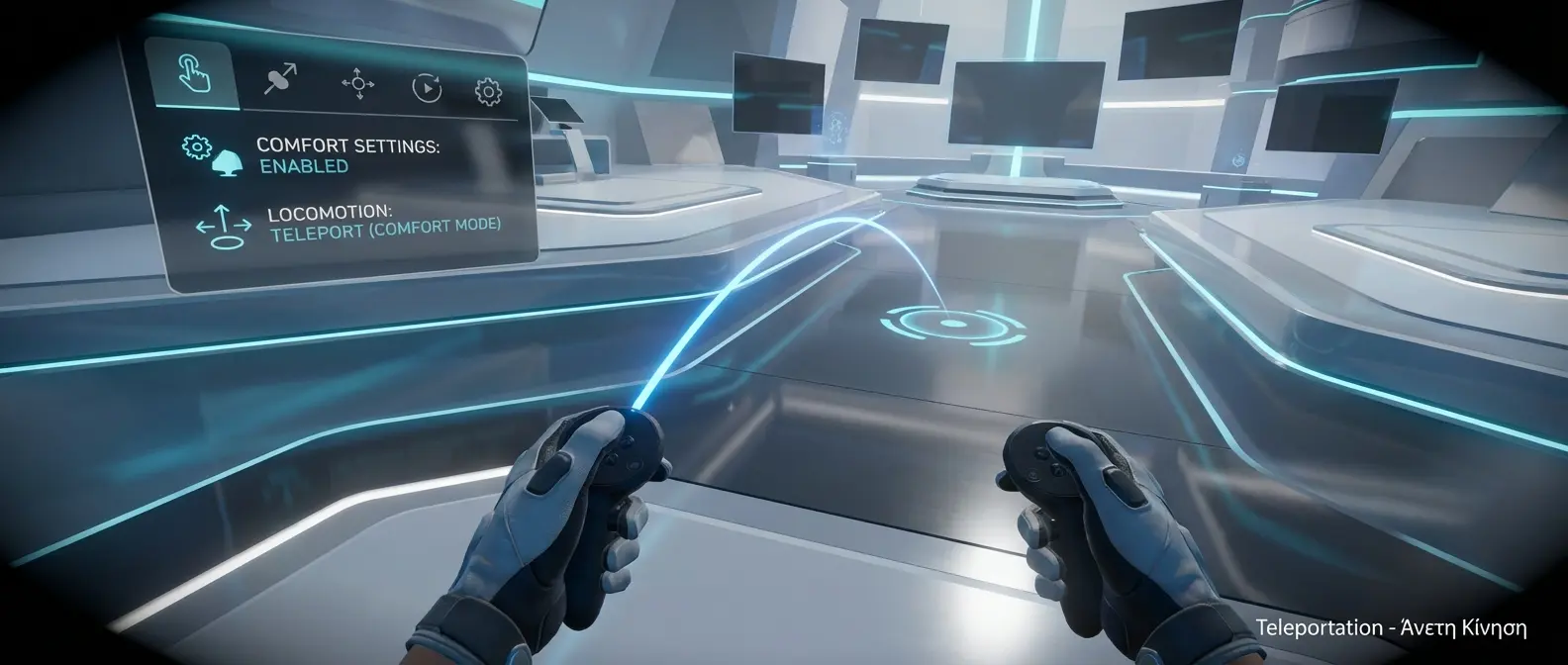
Teleportation - Comfortable Movement without nausea
It's not just “movement in VR.” There are specific factors that increase the risk:
1. Low Frame Rate
If the headset can't maintain a steady 90fps (or 120fps on newer ones), the image “stutters” and causes discomfort. That's why modern headsets have high refresh rates - Quest 3 at 120Hz, PSVR2 at 120Hz, Index at 144Hz.
2. Latency (Delay)
When you turn your head, the image needs to respond instantly. If there's even 20-30ms of delay, the brain notices it. Modern headsets have latency below 15ms, but poor WiFi or a weak PC can cause problems.
3. Artificial Locomotion
“Artificial movement” is the biggest culprit. When you press a stick to move in VR without actually moving in the real world, the brain gets confused. Teleportation (moving by “teleporting”) is much more comfortable.
4. Stick Rotation
Even worse than movement is rotation. When you turn your character with the stick instead of turning your head, the brain reacts strongly. “Snap turning” (turning in 30-45 degree increments) is better.
5. Wrong IPD (Interpupillary Distance)
The distance between the lenses needs to match the distance between your eyes. If it's wrong, the brain tries to focus on something it can't focus on, causing fatigue and nausea.
15 Techniques to Avoid VR Sickness
The following techniques are proven by research and the experience of thousands of VR users:
Start Gradually
Don't play 2 hours on the first day. Start with 10-15 minutes, increase gradually. The brain needs time to adapt.
Use Teleportation
If the game allows it, prefer teleportation over smooth locomotion. It's much more comfortable for beginners.
📖 Read more: VR and Children: Ages, Risks, Safety
Enable Snap Turning
Turning in increments (30-45 degrees) instead of smooth rotation. Big difference in comfort.
Adjust Your IPD
Find your correct IPD (there are apps) and adjust the lenses. Makes a huge difference.
Use a Fan
A fan on your face reduces symptoms dramatically. The air movement helps the brain understand that you're not moving.
Stand Up
Play standing instead of sitting if you can. The slight body movement helps the brain.
Don't Play on an Empty Stomach
Empty stomach = worse nausea. Eat something light before playing, but not a heavy meal.
Drink Ginger Tea
Ginger actually helps with nausea - it's scientifically proven. Try ginger tea or ginger candies.
Enable Vignette
Many games have a “comfort vignette” - it darkens the edges of the screen during movement. Helps a lot.
Avoid Roller Coasters
VR roller coasters and racing games are among the worst for motion sickness. Save them for later.
Look at the Horizon
When moving, try to focus on fixed points ahead of you, not to the sides.
Take Breaks
Every 20-30 minutes, remove the headset for 5-10 minutes. Let the brain recover.
Use Wristbands
Sea-Band and similar wristbands that press the P6 point on the wrist help some people.
Close Your Eyes During Movement
If you feel discomfort during movement, try closing your eyes until you stop.
Give It Time
Most people develop “VR legs” after 1-2 weeks of regular use. Don't give up right away.
The Best Games for Beginners

Ideal for Beginners - Stationary games without movement
If you're new to VR, start with games that have minimal movement:
- Beat Saber - You stand in place, move your hands. Perfect.
- Job Simulator - Stationary, fun, no stress.
- Superhot VR - You move in real space, not with sticks.
- Moss - Third-person view, no character movement.
- I Expect You to Die - Escape room from a chair.
- Pistol Whip - On-rails, but at a comfortable pace.
Initially avoid Half-Life: Alyx, Boneworks, Skyrim VR, and anything that has smooth locomotion as default. Those are for when you develop “VR legs”.
💡 Pro Tip
If you feel symptoms, don't try to “tough it out.” Research shows that if you keep playing while feeling nauseous, your brain creates a negative association with VR that's difficult to overcome. Stop, rest, try again later.
Technical Solutions in Headsets
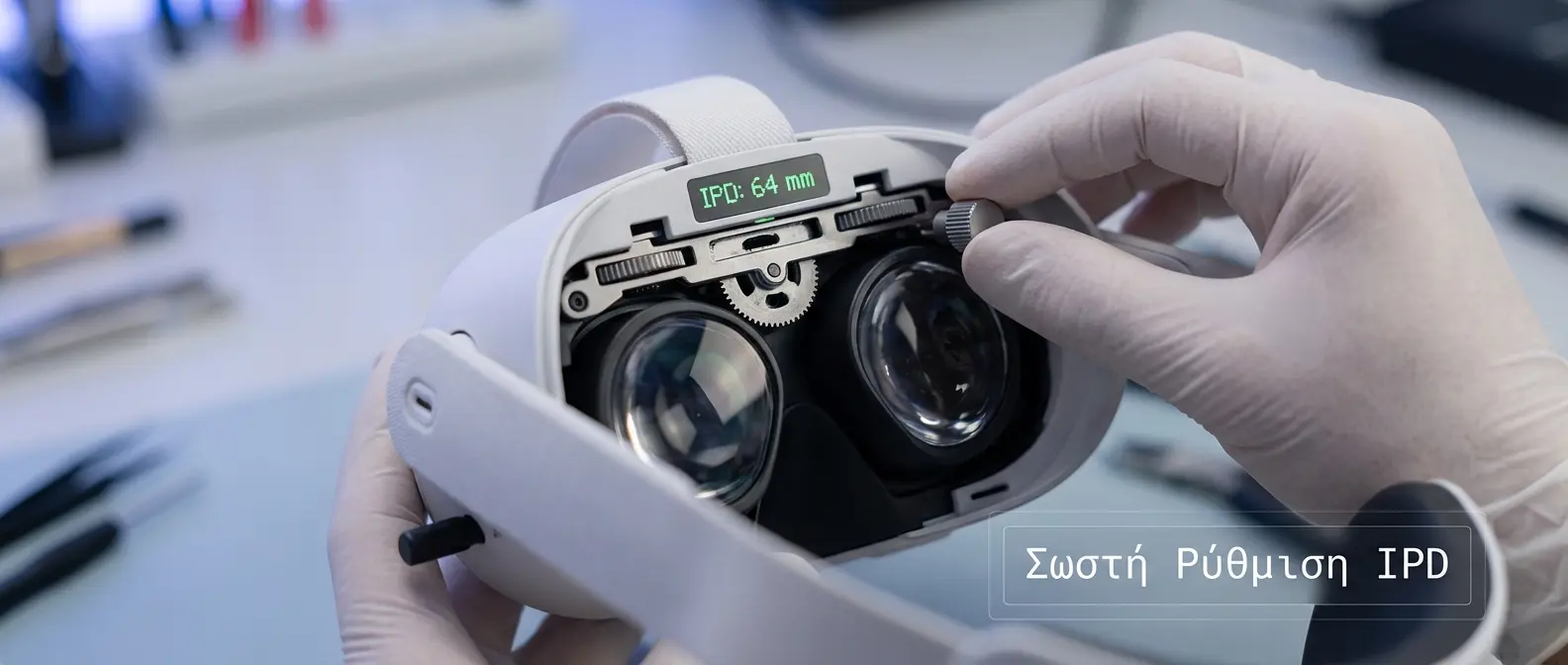
Proper IPD Adjustment - Critical for comfort
Modern VR headsets have built-in features to reduce motion sickness:
Quest 3: Space Sense (warns if you approach a wall), 120Hz refresh rate, excellent tracking with minimal latency.
PSVR2: Eye tracking for foveated rendering (reduces system load), 120Hz, excellent comfort with haptics that help with the feeling of “grounding.”
Valve Index: 144Hz option (the best for motion sickness), off-ear headphones that let you hear the real world.
When to Be Concerned

Breaks & Hydration - The basic rules
Motion sickness in VR is normal and doesn't cause permanent damage. However, you should stop and consult a doctor if:
- Symptoms don't subside after 1-2 hours outside VR
- You have symptoms without using VR
- You feel disoriented or dizzy the next day
- You have balance problems after use
🎯 The Conclusion
VR sickness is real, but not unbeatable. With patience, gradual adaptation, and the right settings, the vast majority of people can enjoy VR without problems. Give yourself time, listen to your body, and don't give up at the first difficulty.