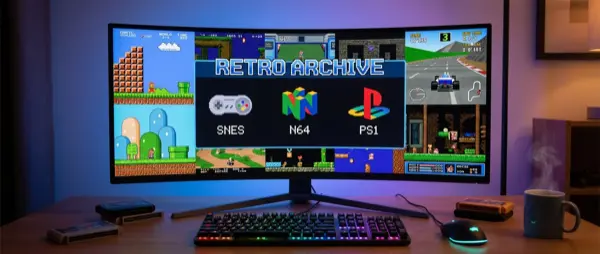
🕹️ What Are Emulators and How They Work
An emulator is software that mimics a console's hardware on your computer. Essentially, it creates a virtual environment that “tricks” games into thinking they're running on their original console. This means you can play games from NES, SNES, N64, PS1, PS2, GameCube, Wii, PSP, PS3, and even Nintendo Switch — all on the same PC.
The technology behind emulators ranges from simple interpretation (translating instructions in real-time) to complex dynamic recompilation (JIT compilation) that converts console code into native x86/ARM instructions. Modern emulators can run games at resolutions far exceeding the original, with anti-aliasing, texture filtering, and widescreen patches.
⚖️ Legality: What You Need to Know
Emulators are 100% legal — they are independent software that contains no stolen code. ROMs (game files) are legal only if you already own a physical copy of the game. Laws vary by country, but generally: emulator = legal, ROM without owning the game = piracy.
🏆 RetroArch: The King of Emulators
If you want just one program to cover everything, this is RetroArch. It's not an emulator — it's a frontend that integrates dozens of “cores” (emulator engines) into a single unified application. With one interface, you can play games from NES, SNES, Genesis, N64, PS1, PSP, GBA, DS, and many more.
🎯 Advantages
Unified UI for 50+ consoles, CRT shaders, netplay multiplayer, save states, rewind, achievement tracking, controller auto-detection, cross-platform (Windows/Linux/Mac/Android).
⚙️ Setup Tips
Download from retroarch.com, go to Online Updater → Core Downloader and download the cores you need. Place ROMs in separate folders per console. Scan directory for auto-detection.
🖥️ Best Cores
bsnes (SNES accuracy), Mupen64Plus-Next (N64), Beetle PSX HW (PS1 with OpenGL), Genesis Plus GX (Mega Drive), mGBA (Game Boy Advance), melonDS (Nintendo DS).
📊 Requirements
Minimal for retro consoles — an Intel i3/Ryzen 3 is enough. For N64 and PSX cores, you need slightly more. GPU shaders require a dedicated GPU.
🎮 PCSX2: PlayStation 2 Emulation
The PS2 has the largest game library in history (3,800+ titles), and PCSX2 runs 98% of them. After 20+ years of development, the emulator is in excellent shape — version 2.0+ uses Vulkan backend and offers 4K upscaling, widescreen patches, and minimal bugs.
Setup: download from pcsx2.net, extract PS2 BIOS from your own console (required — the emulator doesn't include it), set renderer to Vulkan for best performance, enable 4x native resolution, and start. Most games run flawlessly. For games with issues, check the compatibility list at pcsx2.net/compat.
💡 PCSX2 Performance Tips
Enable MTVU (Multi-Threaded VU) for multi-core CPUs. Use Vulkan instead of OpenGL. For slow games, try EE Cycle Rate underclocking. Widescreen patches are built-in — enable them in Settings → Game Properties.
🐬 Dolphin: GameCube and Wii
Dolphin is arguably the most mature and impressive emulator in existence. It runs GameCube and Wii games at 1080p-4K with exceptional compatibility (99%+). Development is active, with new improvements every month.
Dolphin highlights: native Vulkan/Metal/OpenGL support, HD texture packs, custom resolution, anti-aliasing, widescreen hacks, netplay for online multiplayer (Mario Kart Wii online!), motion controls support (via mouse or real Wii Remote with Bluetooth), save states, and built-in updater.
🎮 Must-Play GameCube
Super Mario Sunshine, Zelda: Wind Waker, Metroid Prime 1 & 2, Super Smash Bros. Melee, Resident Evil 4, F-Zero GX, Paper Mario: TTYD, Tales of Symphonia.
🎮 Must-Play Wii
Super Mario Galaxy 1 & 2, Zelda: Skyward Sword, Xenoblade Chronicles, Metroid Prime Trilogy, Donkey Kong Country Returns, Okami (Wii version).
🔵 RPCS3: PlayStation 3 Emulation
PS3 emulation was once considered impossible — the Cell processor architecture was extraordinarily complex. RPCS3 achieved the impossible. Today, over 70% of PS3 games are playable, and the number increases every week.
Note: RPCS3 is the most demanding emulator in terms of hardware. You need at least a 6-core CPU (Ryzen 5 5600X or better), 16GB RAM, and a modern GPU. Games like The Last of Us, Uncharted, God of War 3, Persona 5, and Demon's Souls run well but require a beefy PC.
🟡 Yuzu / Ryujinx: Nintendo Switch Emulation
Current-gen console emulation is now a reality. Yuzu (before its shutdown) and Ryujinx managed to run Switch games at 4K with better performance than the console itself. After legal issues with Nintendo, the community continues through forks and alternatives.
Ryujinx remains active and runs games like The Legend of Zelda: Tears of the Kingdom, Super Mario Odyssey, Pokémon Legends: Arceus, and Metroid Dread. It requires Switch firmware keys (dump from your own console) and at least an 8-core CPU with 16GB RAM.
📱 PPSSPP: PlayStation Portable
PPSSPP is the perfect emulator: lightweight, fast, and with nearly 100% compatibility. It runs PSP games at 10x native resolution effortlessly, even on weak PCs or smartphones. Ideal for classics like God of War: Chains of Olympus, Crisis Core: Final Fantasy VII, Monster Hunter Freedom Unite, and Metal Gear Solid: Peace Walker.
⚡ Why It's So Good
JIT recompilation, Vulkan backend, texture upscaling, save states, custom shaders, built-in cheats, netplay — all in one app under 50MB.
📊 Requirements
Almost nothing. An Intel Pentium or entry-level smartphone runs everything. For 10x resolution you only need a mid-range GPU.
🎮 Controller Setup: The Right Way
Retro gaming without a proper controller is half the experience. The good news: almost every modern controller works out-of-the-box with emulators.
- Xbox Controller: Plug and play on Windows. The best choice for PC emulation — every emulator recognizes it instantly.
- DualSense (PS5): Excellent d-pad, motion controls support in Dolphin/RPCS3. Needs DS4Windows or Steam Input with some emulators.
- 8BitDo Pro 2: Retro-style controller with modern features. Perfect for SNES/Genesis games. Bluetooth + USB.
- Retro-bit Controllers: Licensed USB replicas of original controllers (SNES, Genesis, Saturn pad). Authentic feeling.
- Original Controllers: With USB adapters (Mayflash, Raphnet) you can use original N64, GameCube, SNES controllers.
🎯 Controller Mapping Tips
In RetroArch, use the “Autoconfig” feature — it recognizes 500+ controllers automatically. In standalone emulators, do manual mapping and save profiles. For N64, map the C-stick to the right analog stick. For Wii, use mouse as pointer or a real Wiimote via Bluetooth.
🖥️ Shader Packs: CRT Effect and More
One of the biggest debates in retro gaming: should old games look “clean” or with CRT scanlines? Many retro games were designed with CRT TV characteristics in mind — the scanlines, bloom, and phosphor glow were part of the aesthetic. Shaders recreate this effect on PC.
📺 CRT-Royale
The most realistic CRT shader. Simulates scanlines, phosphor mask, bloom, curvature. Quite GPU-demanding but the result is stunning.
🎨 CRT-Geom
Lighter CRT shader with curvature effect and scanlines. Ideal for weak PCs. Gives very good retro feeling without heavy GPU usage.
✨ xBR/ScaleFX
Upscaling shaders that smooth pixels without blur. Excellent for sprite art games (SNES, GBA). Give a “clean” image at high resolution.
🔲 Integer Scaling
The simplest method: each pixel becomes a 4x4 or 5x5 block. Perfect pixel art without distortion. Ideal for purists who want crisp pixels.
⚡ Performance Tips: Maximum Speed
Every emulator has its own quirks, but there are general tips that help everywhere.
- Vulkan Backend: Almost always faster than OpenGL on modern GPUs. Enable it in PCSX2, Dolphin, PPSSPP, RetroArch.
- Multi-threaded rendering: Enable it where available (PCSX2 MTVU, Dolphin Dual Core). Exceptional improvement on 4+ core CPUs.
- Save States vs In-Game Save: Save states store the exact state — useful but can cause issues in some games. Use both.
- Frame Limit: Keep frame limit enabled (60fps) — without it, many games run in fast-forward.
- GPU Driver Updates: New GPU drivers often bring emulator-specific improvements. Keep them updated.
- ROM Format: Compressed formats (.chd, .rvz, .cso) save space without performance hit. Convert your ISOs.
💾 ROMs: Where and How
The legal side is clear: you can dump your own games (cart dumper, DVD drive, Wii homebrew) and use them legally. For cartridge-based consoles, devices like Retrode, INLretro, or GB Operator let you dump your carts to PC. For disc-based games, a DVD/Blu-ray drive is sufficient.
Alternatively, several companies sell digital copies of retro games legally: Nintendo Switch Online (NES, SNES, N64, Genesis), Atari 50 collection, Mega Man Legacy Collection, Castlevania Advance Collection, and many more. These can be legally extracted as ROMs.
🔮 Final Thoughts
Retro gaming emulation on PC is in a golden age. With RetroArch as an all-in-one solution, standalone emulators like PCSX2 and Dolphin in perfect shape, 4K upscaling, CRT shaders, and netplay, there has never been a better time to relive the classics. Set up a system, grab an 8BitDo controller, enable CRT shaders, and embark on a journey to gaming's golden years.
Remember: respect intellectual property, use ROMs from games you own, and support official re-releases where they exist. The emulation community thrives thanks to respect for developers and legal usage.