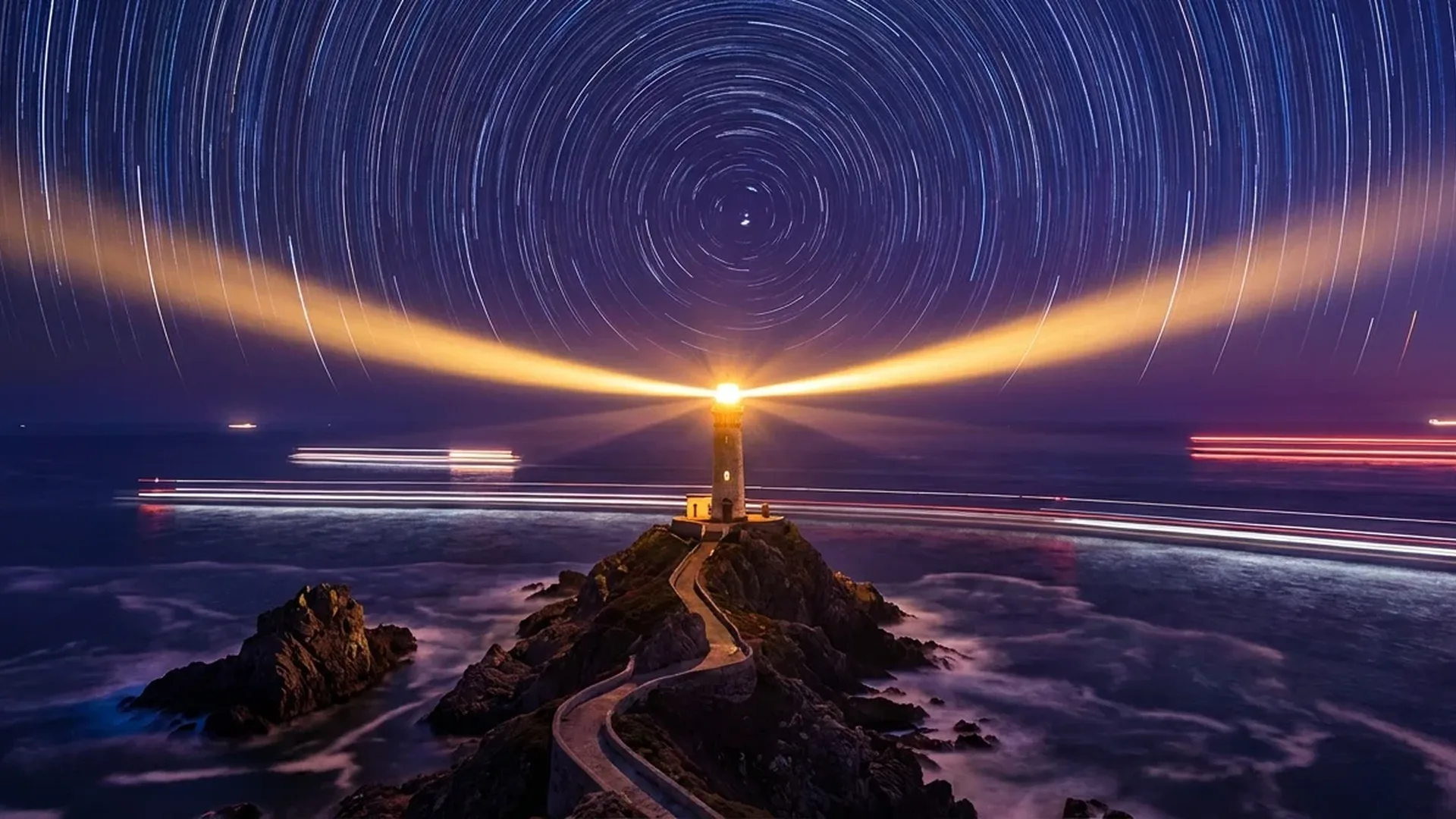
Long exposure photography is arguably the most dramatic technique you can apply with a drone. Light trails from cars, silky-smooth water, clouds racing across the sky — all achievable even with a compact drone like the DJI Mini 4 Pro. In this guide, we break down the techniques, gear, and settings you need step by step.
📖 Read more: Greek Islands by Drone: Top 20 Aerial Photography Spots
What Is Long Exposure in Drone Photography
In traditional photography, long exposure means keeping the shutter open for an extended time — typically over 1 second. The DJI Mini 4 Pro's 1/1.3″ CMOS sensor supports a maximum shutter speed of 2 seconds in normal mode at 12MP (1/16000 - 2s) and up to 2 seconds at 48MP as well (1/8000 - 2s). However, through the Simulated Long Exposure function, the drone can deliver results equivalent to 2.5 to 8 seconds at 12MP, by combining multiple exposures internally.
Key Distinction: “Real” long exposure (mechanical shutter open for many seconds) requires exceptional stability — challenging for a flying drone. Simulated long exposure solves this by performing in-camera image stacking, capturing multiple images and blending them into one.
Real vs Simulated Long Exposure
Real Long Exposure
- Shutter speed up to 2 seconds
- More authentic motion blur
- Requires ND filters during daytime
- Sensitive to vibration/wind
- RAW (DNG) format available
Simulated Long Exposure
- Equivalent of 2.5-8 seconds
- In-camera stacking of multiple frames
- More tolerant of light wind
- 12MP resolution only
- JPEG only (no RAW)
In practice, most drone photographers use a combination of both techniques. For images where you want maximum quality and post-processing flexibility, real long exposure in RAW (DNG) with an ND filter is the ideal choice. For quick results “in the field,” the simulated function is extremely convenient.
Essential Equipment
Drone with Manual Exposure
You need a drone that supports full manual control (ISO, shutter speed, aperture). The DJI Mini 4 Pro (from ~€700 / ~$759, Fly More Combo RC 2 ~€1,010 / ~$1,099) offers manual mode, f/1.7 fixed lens, 3-axis gimbal stabilization with ±0.01° vibration range, and hovering accuracy of ±0.1m (with vision system). Key specs: 1/1.3″ CMOS 48MP sensor, ISO 100-6400 (photo 12MP), Night mode ISO 100-12800, and weight under 249g (C0 category).
ND Filters (Neutral Density)
ND filters are absolutely essential for daytime long exposure. They reduce the light reaching the sensor, allowing slower shutter speeds without overexposure. The official DJI Mini 4 Pro ND Filters Set includes ND16, ND64, and ND256 (costs ~€45-60 / ~$49-65). Alternatively, third-party brands like Freewell, K&F Concept, or PolarPro offer complete sets (ND4 to ND1000) from ~€30-80 (~$33-87) depending on the brand.
Supporting Accessories
Landing pad (~€15-25 / ~$16-27) for safe takeoff/landing. A microSD V30 or UHS-I U3 256GB card (~€30 / ~$33) for fast RAW file writing. Tablet or smartphone with sunshade for better screen visibility. Extra batteries (the Fly More Combo includes 3 batteries) because long exposure photography requires time in the air — each battery provides ~34 minutes of flight.
ND Filter Guide: Which ND for Each Situation
Choosing the right ND filter depends on lighting conditions and your desired shutter speed. The general rule: each “stop” of light reduction doubles the exposure time. An ND16 reduces by 4 stops, ND64 by 6 stops, ND256 by 8 stops.
ND16 (4 stops)
Ideal for golden hour or overcast conditions. Allows shutter speeds of ~1/4 - 1 second under moderate lighting. Suitable for subtle motion blur in water or moving people.
ND64 (6 stops)
The most versatile choice. Works well from early morning to late afternoon. Delivers shutter speeds of 1-2 seconds in moderate daylight. The “go-to” option for most photographers.
📖 Read more: Drone Photography Portfolio: How to Stand Out
ND256 (8 stops)
For intense midday sunlight. Gets you to 1-2 second shutter speeds even in bright sunshine. Essential if you want long exposure during peak daytime hours.
Variable ND (ND2-ND400)
Adjustable filter — practical but can create “X-pattern” artifacts at extreme settings. Third-party variable ND filters cost under ~€100 (~$109). Good option for experimentation.
Camera Settings Step by Step
Pre-Flight Preparation
In the DJI Fly app, go to Camera Settings. Select Manual (M) mode — this is critical, because in Auto the camera will change ISO and shutter on its own. Set format to RAW (DNG) for maximum post-processing quality. Set resolution to 12MP if you plan to use simulated long exposure (not available at 48MP).
Setting ISO
Always start at ISO 100 — the lowest possible. This minimizes noise and delivers the cleanest results. For real long exposure at night, you can raise it to ISO 400-800, but avoid going above 1600 to maintain acceptable quality. In Night mode, the DJI Mini 4 Pro reaches ISO 12800, but above 3200 noise becomes noticeable.
Setting Shutter Speed
Depending on the effect you want: 1/4 - 1/2s for subtle motion blur in water, 1-2s for silky water and light trails, 2.5-8s (simulated) for dramatic cloud trails and ultra-smooth water. Remember: the slower the shutter, the more critical the drone's stability becomes.
White Balance & Color Profile
Set manual White Balance (e.g., 5500K for daylight, 3200K for artificial light) instead of Auto, so every frame has identical color temperature. For color profile, choose D-Log M (10-bit) if you'll be color grading later, or Normal (8-bit) for more “ready-to-use” results. Note: in D-Log M, ISO maxes out at 1600.
Focus & Composition
Tap-to-focus on your subject then lock focus to manual (AEL/AFL). This prevents autofocus from “hunting” during the long exposure. For composition, enable gridlines (rule of thirds) from the camera settings.
6 Long Exposure Drone Techniques
1. Car Light Trails
One of the most popular techniques. Fly above a road or highway at dusk or night. Car headlights and taillights create luminous lines through the frame.
Settings: ISO 100-200, Shutter Speed 1-2s (real) or 4-8s (simulated), no ND filter since it's nighttime. Look for roundabouts, bridges, or winding roads — they create the most interesting patterns. Altitude of 50-120 meters typically gives the best results.
2. Silky Water Effect
Rivers, waterfalls, beaches — with long exposure, water movement becomes smooth and “silky.” This technique works exceptionally well on beach photos with waves and coastlines.
Settings: ISO 100, Shutter Speed 1-2s (real) with ND64 or ND256 during daylight, or 4-8s (simulated). The top-down direction (straight down, gimbal -90°) produces stunning abstract results with waves.
3. Cloud Motion
On days with fast-moving clouds, long exposure transforms them into flowing “silk” above landscapes. This technique works best with ND256 on bright days.
📖 Read more: Best Drones 2026: Complete Buying Guide
Settings: ISO 100, Shutter Speed 4-8s (simulated), ND256. Choose a composition with a stationary foreground element (building, rock, tree) for contrast with the moving clouds. Works beautifully during golden hour.
4. Astro / Night Landscapes
The most technically demanding technique. In areas without light pollution, you can photograph the Milky Way or stars with a drone.
Settings: ISO 3200-6400 (or up to 12800 in Night mode), Shutter Speed 2s (maximum real), no ND filter. Limitations: the 2s exposure time isn't enough for star trails (traditional photography needs 15-30s+), so use image stacking in post-processing — take 20-50 photos and combine them in software like StarStaX (free) or Photoshop.
5. Hyperlapse (Time-Lapse in Motion)
Technically not “photography” but worth mentioning. The DJI Mini 4 Pro supports built-in Hyperlapse mode in 4 types: Free, Circle, Course Lock, Waypoint. Each frame is captured with your chosen camera settings, and with slow shutter you can achieve a long exposure look in every frame of the video.
Settings: Hyperlapse mode, interval 2-5 seconds, shutter 1-2s, ISO 100, ND64 during day. Result: a video where every frame has motion blur, creating a “dreamy” feel.
6. Abstract Patterns (Abstract Drone Art)
This technique combines long exposure with intentional drone movement during capture. Instead of a stable hover, you perform slow rotation or yaw during a 4-8s simulated long exposure. The result: abstract, “painted” landscapes that win awards in photography competitions.
Settings: Simulated long exposure 4-8s, ISO 100, ND64 if needed. Requires extensive experimentation — shoot dozens of frames and keep the 2-3 best ones.
Challenges & Solutions
Wind & Vibration
The biggest enemy. Fly in calm conditions (morning/evening). The 3-axis gimbal stabilizes with ±0.01° accuracy, but strong wind (above Beaufort 3-4) will create blur. Lower your flight altitude — closer to the ground = less wind.
Battery Consumption
Hovering without movement still consumes significant energy. With 34 minutes max flight time, always keep a 20-25% buffer. Practically: ~25 minutes of actual work per battery. With Fly More Combo (3 batteries) you get ~75 minutes total.
Daytime Overexposure
Without an ND filter, daytime long exposure = completely white image. The solution: use ND64 or ND256 and always take a test shot before the “real” capture. Check the histogram — if it's pushed right, you need a darker ND.
Image Noise
Especially in nighttime shots. Keep ISO ≤800 whenever possible. In Night mode (ISO 12800), noise becomes very visible. Solution: use noise reduction in post-processing (Lightroom, DxO PureRAW, Topaz DeNoise AI).
Post-Processing: From RAW to Masterpiece
Long exposure photography almost always requires post-processing. Even if the in-camera shot looks good, the RAW file contains far more information.
📖 Read more: Drone Aerial Photography: Beginner's Guide
Adobe Lightroom (~€12/month / ~$13/month)
The most popular editor. Adjust White Balance, open shadows, reduce highlights. Use the Long Exposure Noise Reduction slider. For nighttime shots, the “Enhance” function with AI denoise dramatically improves quality.
Image Stacking (Free)
If in-camera simulated long exposure isn't enough, shoot multiple frames (20-100) from the exact same position and combine them in software. StarStaX (free) for star trails, Photoshop (Smart Object → Mean stack) for general long exposure effects, Sequator (free) for astro stacking.
Color Grading (Optional)
If you shot in D-Log M, you'll need color grading. Apply a LUT (look-up table) in Lightroom or DaVinci Resolve (free). DJI provides free D-Log M LUTs on their website. For more dramatic results, boost blues/cyans in the shadows and oranges/yellows in the highlights.
Ideal Scenarios in Greece
Greece offers exceptional locations for long exposure drone photography:
- Santorini — Oia Sunset: Long exposure cloud motion above the caldera with ND256, golden hour
- Athens — Kifissias Avenue / Attiki Odos highway: Nighttime light trails above the motorways
- Milos — Sarakiniko: Silky water over white rock formations — top-down composition
- Zakynthos — Navagio (Shipwreck): Silky water effect on turquoise waters (fly only outside summer restrictions)
- Metsovo — Mountain Landscapes: Cloud motion over the Pindus mountain ranges, morning fog
- Thessaloniki — Waterfront / White Tower: Light trails along Nikis Avenue
Regulations: Remember that night flight requires a strobe light (DJI Strobe ~€35 / ~$38) in the EU and flying over people/crowds is prohibited. Always check NOTAMs and local restrictions via DJI Fly Zones or AirMap.
Equipment Cost Breakdown
Basic Setup
DJI Mini 4 Pro (Base): ~€700 (~$759)
ND Filters Set (DJI): ~€50 (~$55)
microSD 256GB V30: ~€30 (~$33)
Landing Pad: ~€20 (~$22)
Total: ~€800 (~$869)
Complete Setup
DJI Mini 4 Pro Fly More Combo RC 2: ~€1,010 (~$1,099)
ND Filters Third-Party full set: ~€60 (~$65)
DJI Strobe (night flight): ~€35 (~$38)
microSD 256GB: ~€30 (~$33)
Total: ~€1,135 (~$1,235)
Software
Adobe Lightroom: ~€12/month (~$13/month)
DaVinci Resolve: Free
StarStaX (stacking): Free
Topaz DeNoise AI: ~€80 (~$87) one-time
DxO PureRAW: ~€100 (~$109) one-time
Pre-Flight Checklist
- ✅ Batteries charged (drone + controller)
- ✅ ND filters clean and attached
- ✅ microSD card inserted, enough space
- ✅ Firmware updated (DJI Fly app checks automatically)
- ✅ Weather check (Wind ≤Beaufort 3 = ideal)
- ✅ Check No-Fly Zones (DJI Fly Zones / AirMap)
- ✅ Strobe light if flying late/at night
- ✅ Manual mode, ISO 100, RAW format ON
- ✅ Test shot before the main capture
- ✅ Composition plan (Google Earth scouting helps a lot)
Takeaway: Long exposure drone photography isn't as difficult as it seems — but it requires the right gear (ND filters!), patience, and experimentation. Start with simulated long exposure at dusk, get comfortable with the controls, and gradually work up to night shots, light trails, and astro photography. The most impressive results come after many failed attempts — that's part of the magic.