📖 Read more: Drone Panoramic Photography: Complete Guide 2026
Why You Need a Portfolio
According to photography experts at Adobe, "the best drone shots take advantage of the unique compositions you wouldn't get otherwise, while adhering to the principles for what makes a great photograph." That quality must be reflected in your portfolio — not many photos, but the right ones.
Step 1: Selecting Your Photos
Photo selection is the most critical phase. The rule is simple: less = better. The goal isn't to show everything, but the best possible sample. Photographer Steve Schwindt advises: "You have to understand why you're using it. Ask yourself: What is it doing to add to the story I'm trying to tell?"
Selection Criteria
- Technical quality: Sharpness, proper exposure, clean colors. Shoot in RAW (DNG) + edit in Lightroom (~€12/month / ~$13) or DaVinci Resolve (free)
- Unique angle: Top-down, oblique, low altitude — variety of angles that demonstrate mastery of your craft
- Emotional impact: The photo must stop you in your tracks — if you keep scrolling, it doesn't make the cut
- Subject variety: Landscapes, architecture, real estate, events, nature — show versatility
- Lighting: Golden hour (sunrise/sunset) photos always stand out. As David Green puts it, drones have given photographers “perspective no one else can get”
Pro Tip: Use Google Earth to pre-plan your shots before you fly. Look at other photographers' work at the same location — this helps evaluate whether your shot truly stands out from the crowd.
Step 2: Organization & Categories
A portfolio without structure looks like a photo album. Clients want to see your work organized into clear categories.
Real Estate
Exterior aerial photos of properties, land plots, commercial spaces. Ideal for realtors, construction firms. 5-8 photos are enough per category.
Landscapes & Nature
Drone landscapes — beaches, mountains, islands, sunsets. Show variety in seasons and lighting conditions. The most visually impressive category.
Urban / Cityscape
Cities, monuments, bridges, stadiums, harbors. Geometric patterns, night shots, traffic trails. Ideal for municipalities, tourism boards.
Events & Corporate
Weddings, festivals, corporate events, construction progress. Shows you can deliver under pressure and meet deadlines.
📖 Read more: Long Exposure Drone Photography: Techniques & Tips
Step 3: Platform & Website
The platform hosting your portfolio is just as important as the photos themselves. Here are the main options:
SmugMug
Built for photographers. Unlimited storage, Lightroom integration, print sales capability. Portfolio Plan: ~€22/month (~$23.50/month, billed annually). Includes watermark protection, password-protected galleries, full e-commerce for print sales. 24/7 support.
Adobe Portfolio
Free with Creative Cloud subscription (from ~€12/month / ~$13). Responsive themes, Behance integration, Adobe Fonts, Lightroom connectivity. Perfect if you already pay for Creative Cloud — you get a portfolio site at no extra cost.
Squarespace
Excellent templates, drag-and-drop. Business Plan: ~€30/month (~$33). Ideal for photographers who want a professional website with blog, online store, and analytics.
Social Media
Instagram, 500px, Flickr. Free, but you don't control your page. Best used as a supplement (not replacement) to your website. Drive traffic to your main portfolio.
Your Own Website
- Full control over your brand
- Custom domain (e.g., yourname.com)
- SEO optimization — clients find you via Google
- Ability to sell prints & licenses
- Professional impression
Social Media Only
- No control over algorithmic visibility
- Low image resolution (compression)
- Doesn't inspire trust in B2B clients
- Can't sell directly
- Algorithm dependency
Step 4: Presentation & Design
How you present your photos matters as much as the photos themselves. Follow these rules:
- Large images: Each photo needs room to breathe — enough white (or dark) space around it
- Consistent editing: All photos should share a similar color grading/style — it signals professionalism
- Hero image: The first photo a visitor sees must be your BEST. 7 seconds — that's the window you have
- About/Bio: Brief text about you, your gear (e.g., DJI Mini 4 Pro, ~€700 / ~$759), and services offered
- Contact: Prominent contact button — email, form, phone. Don't make it hard for clients to reach you
- Mobile-first: Over 60% of traffic comes from mobile devices — test how it looks on small screens
Step 5: Prints & Physical Portfolio
Don't underestimate the power of a physical portfolio. Framed prints in a meeting or a photo book on a showroom table make a huge impression. Aerial photography particularly shines in large prints — the details only become visible at scale.
- Fine Art Prints: Canvas or metallic paper, large sizes (60x90cm+). Cost ~€40-80 (~$43-87) per print
- Photo Book: Hardcover, 20-30 pages, high resolution. ~€50-100 (~$54-109) depending on quality
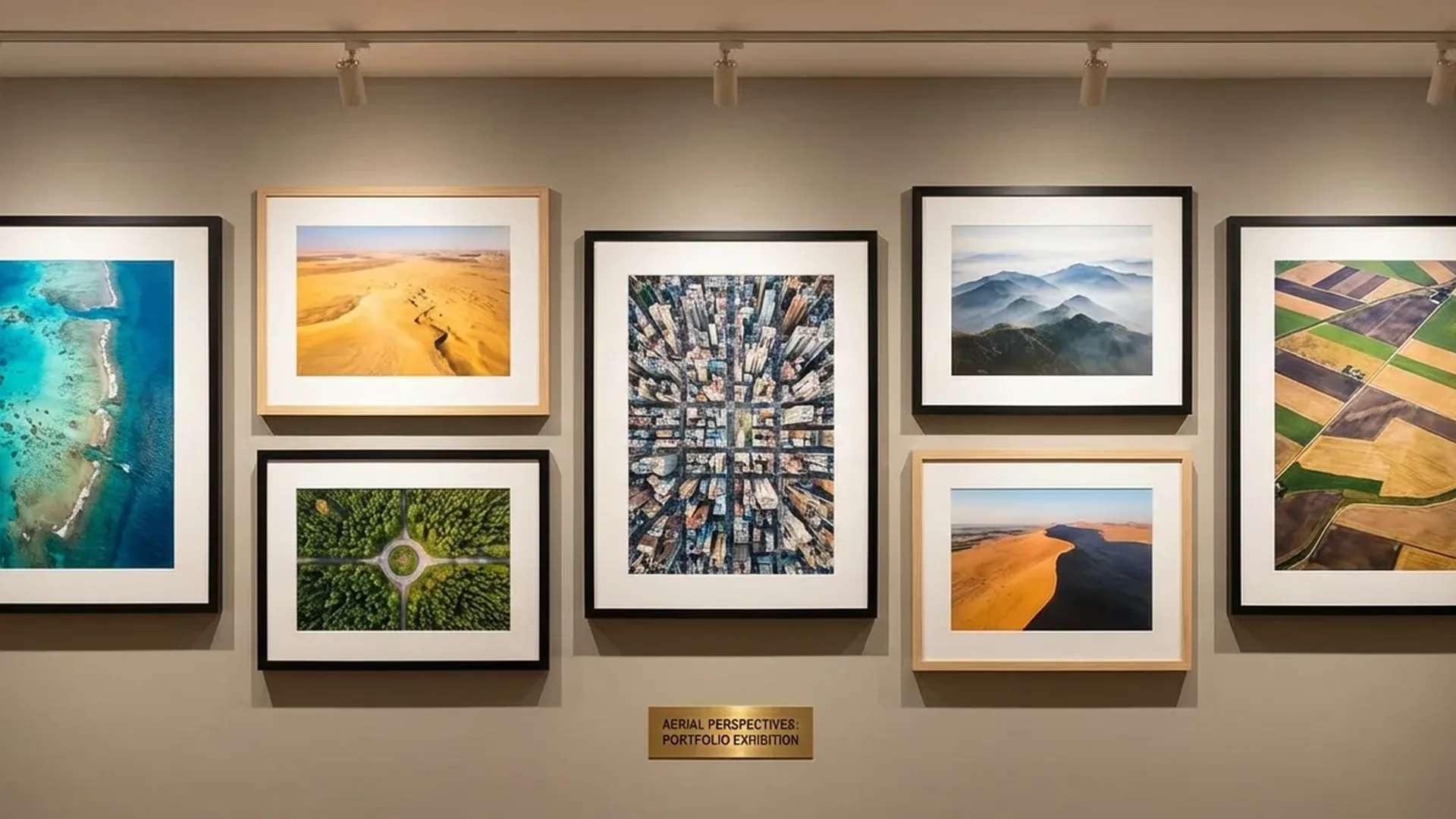
- Framed Gallery Prints: For events, exhibitions, offices. Black or white frames + mat — professional look
- SmugMug Print Sales: Sell prints directly through SmugMug (~€22/month / ~$23.50) without your own e-shop
Step 6: Marketing & Promotion
An amazing portfolio without marketing is like a shop without a storefront. How will people find you?
📖 Read more: Action Camera vs Drone: When Do You Need What?
- SEO: Optimize every image — alt text, page title, description, keywords (e.g., “drone real estate photography London”)
- Google Business Profile: If you work locally, create a business profile — appear in local searches
- Instagram Reels: Short behind-the-scenes videos, before/after edits, flight time-lapses
- Networking: Real estate agencies, tourism companies, municipalities, event organizers — send direct portfolio links
- Free samples: Offer 1-2 free shoots to local businesses to earn testimonials
- Behance/500px: Community platforms — upload your best work, gain exposure
Technical Tips for Better Photos
According to Adobe's experts, "the best aerial shots take advantage of the drone's unique angle while following composition principles." Specifically:
- Top-down (Bird's Eye): Shooting straight down reveals patterns, shapes, and formations invisible from ground level
- Shoot RAW: Capture in DNG — more color/light information for post-processing. DJI Mini 4 Pro: 48MP DNG+JPEG
- ND Filters: Control exposure in bright light (~€45-60 / ~$49-65 for an ND filter set)
- Plan ahead: Use Google Earth for scouting before you fly — saves battery (34 minutes on DJI Mini 4 Pro) and time
- Contrast: Look for color contrasts — sea vs land, green vs buildings, light vs shadow
- Panoramics: Sphere, 180°, and Wide Angle panorama — impressive in large prints
"With drones, you can now get a multi-thousand-dollar shot for ~€700 (~$759) plus a pilot's license. They've given filmmakers and photographers perspective no one else can get." — David Green, Filmmaker
Cost of a Complete Setup
Equipment
DJI Mini 4 Pro Fly More Combo: ~€1,010 (~$1,099). ND Filters: ~€45-60 (~$49-65). microSD 256GB: ~€30 (~$33). Landing Pad: ~€15-25. Total: ~€1,100-1,125 (~$1,197-1,224)
Editing Software
Adobe Lightroom: ~€12/month (~$13) or DaVinci Resolve: Free. For video: Adobe Premiere ~€21/month (~$22.99) or DaVinci free.
Website/Portfolio
SmugMug Portfolio: ~€22/month (~$23.50/month, ~€264/year). Adobe Portfolio: free with CC. Custom domain: ~€10-15/year (~$11-16).
Prints
Photo Book: ~€50-100 (~$54-109). Fine Art Prints (5 pcs): ~€200-400 (~$218-435). Business cards: ~€20-30. Annual total: ~€1,500-2,000 (~$1,630-2,175) first year
7 Mistakes to Avoid
- Too many photos: 100+ photos = you lose the visitor. 15-30 curated shots are enough
- Wrong resolution: Web images at 2000-3000px width. Don't upload full-res (48MP) — slow loading, image theft risk
- Inconsistent editing: One photo warm tones, the next cool, the third oversaturated. Create a unified color preset
- No watermark: Protect your work — especially in public galleries. Use a subtle, corner watermark
- No contact info: “Great photos!” → How do I hire you? Place email/phone/form on every page
- Ignoring mobile: If it doesn't look right on a phone, you're losing 60%+ of your audience
- Not updating: A portfolio untouched for 6+ months looks abandoned. Refresh every 2-3 months
Start today: The most important step isn't the perfect platform or the perfect gear — it's starting. Pick your 20 best photos, upload them to SmugMug or Adobe Portfolio, and send the link to 5 potential clients this week. Their first reaction will tell you everything.